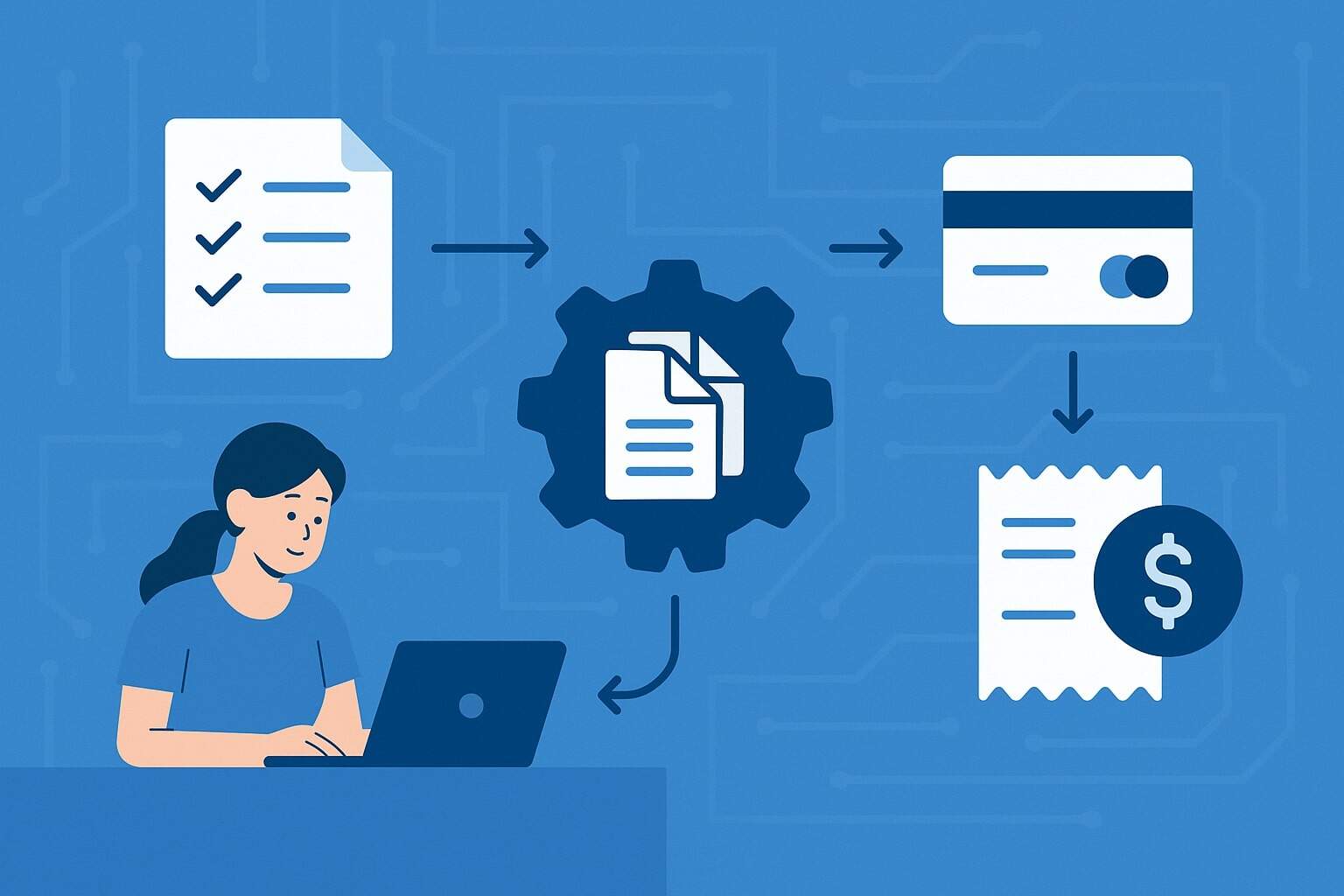
Batch processing for merchants is one of those behind-the-scenes payment concepts that quietly affects cash flow, fees, fraud risk, and even customer satisfaction. If you accept credit cards, debit cards, or some ACH transactions, you are already using batch processing whether you realize it or not.
In this guide, we’ll walk through how batch processing works for merchants, why it matters, how it ties into settlement and funding, and how emerging real-time payment technologies may reshape batch processing in the future.
The article is written in practical terms so you can connect the technical steps to day-to-day business decisions.
What Is Batch Processing for Merchants?
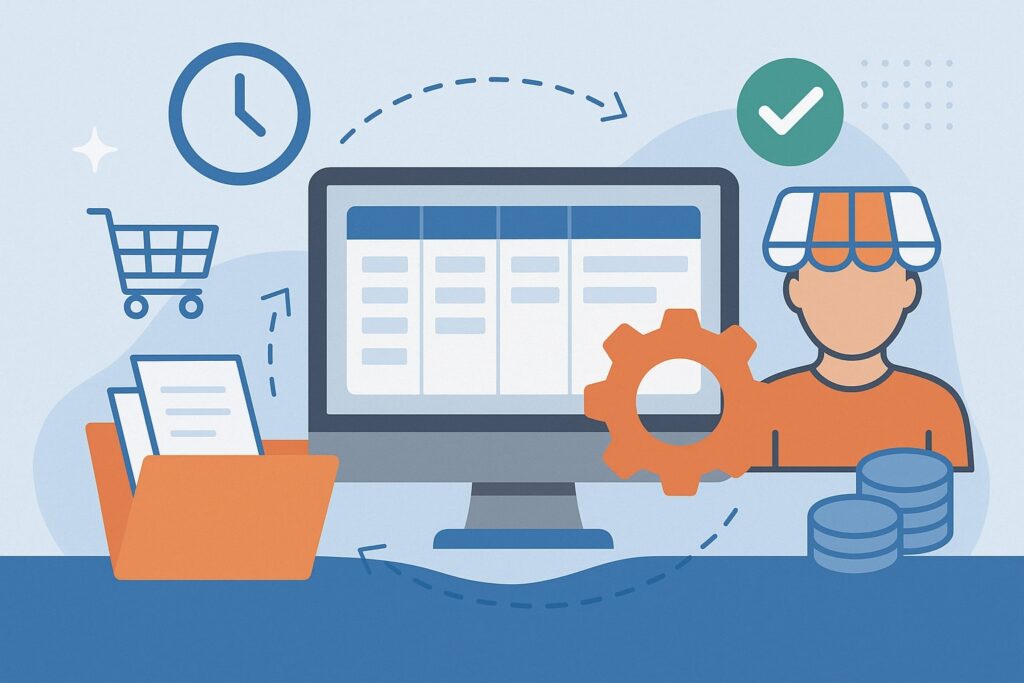
Batch processing for merchants is the process of grouping multiple payment transactions together and sending them to the payment processor or acquiring bank in a single “batch” at a specific time, usually once per business day.
Instead of settling each card payment individually in real time, your terminal or POS system stores approved authorizations throughout the day and later transmits them as one file.
When a customer taps, inserts, or swipes a card, the first step is authorization, not settlement. Authorization confirms that the card is valid and that sufficient funds or credit are available. The transaction is placed in an “open batch” on your terminal, gateway, or POS platform. It stays there until you close or submit the batch.
Once you close the batch, the processor sends those transactions through the card networks (like Visa or Mastercard) to the respective issuing banks. The networks and issuers then start the clearing and settlement process.
After interchange and fees are calculated, your acquiring bank deposits the net funds into your business account according to your funding schedule.
Batch processing for merchants is therefore the bridge between front-end authorization and back-end settlement. Without a successfully submitted batch, you don’t get paid, even if you saw approvals on the screen during the day.
That’s why understanding batch processing is critical to managing risk, avoiding lost revenue, and keeping cash flow predictable.
Why Batch Processing Matters for Merchants

Batch processing for merchants is not just a technical payment step; it directly impacts your cash flow timing, processing costs, dispute risk, and operational efficiency. Every batch you submit is essentially a request to convert authorizations into real money in your bank account. If something goes wrong in that process, you may face delays or lost funds.
First, batch processing affects funding speed. Many processors only begin counting your funding window after a batch is successfully submitted.
For example, if your agreement says you’ll receive next-day funding for card payments, that is usually “next business day after batch close.” If you forget to close the batch or your POS is misconfigured, you may not see the funds when you expect them, regardless of sales volume.
Second, batch processing can influence fees and reconciliation. Some providers charge batch fees per settlement file, or per location. Knowing how often you submit batches, and coordinating across multiple stores or merchant IDs, can help control these costs.
A clean daily batch also simplifies reconciliation because you can easily tie the batch totals from your POS reports to daily deposits in your bank statements.
Third, batch processing helps manage chargeback and fraud risk. When batches are submitted promptly and accurately, the transaction data that travels through the networks is consistent with receipts, order logs, and customer records.
That makes it easier to respond to disputes and to prove the legitimacy of a transaction. Long delays or missing batches can create confusion, duplicate transactions, or stale authorizations that increase customer complaints.
Finally, batch processing makes your operations more predictable. By establishing a routine—say, nightly batch close after business hours—you give your staff a clear end-of-day workflow. This supports better cash management, auditing, and performance tracking across locations, channels, and sales staff.
In short, batch processing for merchants is where your payment operations, accounting practices, and technology stack all intersect.
How the Batch Processing Workflow Actually Works
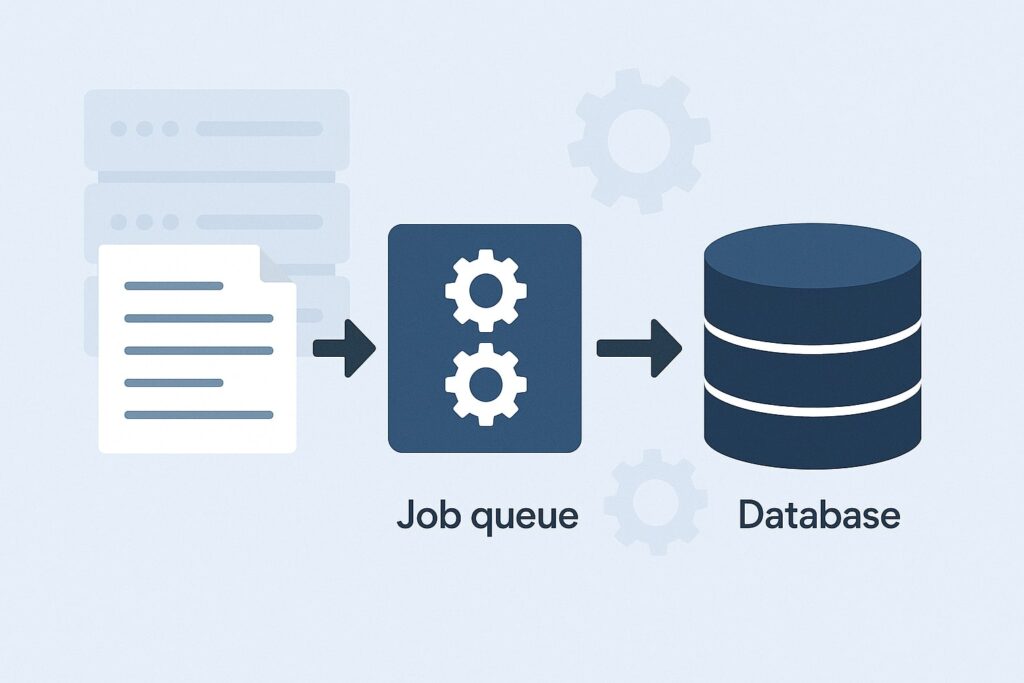
Batch processing for merchants follows a consistent workflow, even if the technology behind it is complex. Understanding the flow from authorization to funding helps you troubleshoot issues and optimize your setup.
- Authorization at the point of sale: When a customer pays with a card, your terminal or POS sends an authorization request through the processor to the card network and issuing bank.
If approved, the system records an authorization code and stores transaction details in your open batch. At this stage, the customer’s bank has set aside funds, but you haven’t been paid yet. - Open batch accumulates transactions: Throughout the day, each new approved payment is added to the open batch. This includes in-store card-present transactions and, in many cases, card-not-present transactions routed via your payment gateway.
- Batch review and adjustments: Before closing the batch, managers or staff may review transactions for accuracy. They may avoid mistaken charges, add tips (for restaurants and service businesses), or adjust certain fields. For hospitality, this is often when pre-authorizations for tabs or incidental holds are finalized.
- Batch close or settlement submission: At a scheduled time, the system sends the batch to the processor. This may be manual (pressing a “Close Batch” or “Settle” button) or automatic (a configured daily cutoff time).
Once submitted, the batch can no longer be edited. If the submission fails due to connectivity or configuration issues, authorizations may expire later, so it’s important to monitor success messages. - Clearing and settlement through card networks: The processor formats the batch into network-specific messages and forwards them through each card brand’s settlement system.
Issuing banks receive clearing records, post the transactions to cardholder accounts, and transfer funds (minus interchange) to the acquiring bank. - Funding to your merchant account: After receiving funds from issuers, the acquirer credits your merchant account, deducting their markup, assessments, and other fees. Depending on your funding arrangement, you may see one combined deposit for all card types or separate deposits by card brand, network, or location.
- Reconciliation of batch to deposits: Finally, you or your accounting team reconcile the batch totals and processing reports with your bank deposits. Clean batch processing for merchants means the numbers line up, exceptions are limited, and you can quickly identify any discrepancies.
With this end-to-end view in mind, you can see how each step builds on the previous one. A problem in the open batch—like duplicate transactions or missing tips—can propagate all the way through to customer statements, chargebacks, and your ledger if it isn’t caught before the batch closes.
Types of Batch Processing for Merchants
Not all batch processing for merchants looks the same. Different business models, channels, and payment types use different flavors of batch workflows. Knowing which type you’re using helps you configure settings correctly and choose the right provider.
Card-Present Batch Processing
Card-present batch processing is the traditional setup for brick-and-mortar locations using countertop terminals, integrated POS systems, or mobile readers that support EMV chip and contactless payments. In these environments, batch processing for merchants is typically tied to terminal batches or store batches.
Every approved in-person transaction is assigned to the open batch on the specific terminal or POS. In multi-lane setups, some systems consolidate all lanes into a single store-level batch; others maintain separate batches per lane but settle to the same merchant account.
Restaurant and hospitality merchants often rely heavily on batch adjustments after the initial authorization to add tips or convert pre-auths into final charges.
Because card-present transaction fees and interchange rates are often lower than card-not-present, it’s critical that your terminal settings accurately flag these as chip, tap, or swipe transactions.
If your configuration is wrong and the processor treats them as key-entered or card-not-present in the batch, you may pay higher costs. This is one practical example of how batch processing for merchants links to pricing.
In card-present environments, batch close is usually scheduled outside of peak hours—such as late evening for restaurants or nightly for retail. Many processors recommend closing at least once every 24 hours to reduce the risk of expired authorizations and cardholder confusion.
Card-Not-Present and eCommerce Batch Processing
For eCommerce, invoicing, and virtual terminal transactions, batch processing for merchants often happens inside the payment gateway or commerce platform rather than a physical terminal.
Each approved online payment is held in an open batch associated with your merchant account, often grouped by currency, region, or merchant ID.
Card-not-present batch processing has some unique traits:
- Higher fraud and chargeback risk: Because the cardholder isn’t present, the networks often require enhanced data in the batch, including AVS (address verification) and CVV responses. Clean, consistent data in your batches can help reduce disputes and allow you to qualify for better interchange categories.
- Multiple daily batches: High-volume eCommerce merchants sometimes configure multiple settlement times per day to improve cash flow, splitting morning and evening batches. This can be helpful when you need frequent funding but don’t want to move to expensive real-time models.
- Subscription and tokenized payments: When you bill cards on file, your gateway creates authorizations on schedule and adds them to a batch, even though there’s no POS interaction. Successful batch processing for merchants in these scenarios depends on robust retry logic, account updater services, and clear decline handling.
If you sell both online and in-store, you may have separate batches for each channel, even if they ultimately settle to the same bank account. Properly labeling and reconciling these batches is crucial for omnichannel reporting and for understanding effective processing costs by channel.
ACH and Bank Transfer Batch Processing
While batch processing is most commonly associated with cards, batch processing for merchants also applies to ACH and certain bank transfer methods. ACH itself is inherently a batch-based network: banks and payment providers send and receive ACH files at scheduled intervals throughout the day via the national clearinghouse.
For merchants, this means:
- ACH debits and credits are often originated in batches, either from your processor, payroll system, or billing platform.
- Cutoff times are critical. An ACH debit submitted after a provider’s daily cutoff may roll into the next business day, affecting when funds post.
- Same-day ACH has shortened settlement windows, but it still uses batch files transmitted in specific submission windows, not continuous real-time processing.
If you collect ACH for recurring billing (such as memberships, tuition, or B2B invoices), batch processing for merchants determines how quickly you know about returns (NSF, account closed, unauthorized) and how soon you can access funds.
As same-day and faster ACH options expand, some providers are introducing more frequent batching windows to make bank transfers feel closer to real-time without fully abandoning the batch model.
Key Players in the Batch Processing Ecosystem
Batch processing for merchants involves multiple parties working behind the scenes. Understanding who does what helps you know where to look when something goes wrong.
Merchant and Point of Interaction
You, the merchant, are the origin of the transactions. The point of interaction (POI) could be a physical terminal, POS system, mobile app, eCommerce checkout, or virtual terminal. This is where customer card or bank details are captured and where the batch logically begins.
Your responsibilities include:
- Ensuring the POI is configured for the correct merchant ID, time zone, and batch settings.
- Training staff on voids, refunds, tips, and pre-authorizations before batch close.
- Monitoring batch reports and settlement confirmations.
Because batch processing for merchants starts at the POI, configuration mistakes here can cascade through the entire payment flow.
Payment Processor / Acquirer
The payment processor (often also your acquiring bank or an ISO working with an acquirer) is the entity that receives your batches, formats them for each card network or ACH operator, and handles clearing and settlement. When you close a batch, your processor is typically the first external party to receive that file.
Key functions include:
- Validating transaction records for required fields and compliance.
- De-duplicating or rejecting invalid records.
- Forwarding transactions to the appropriate networks.
- Calculating fees and providing reporting on batches, deposits, and chargebacks.
Batch processing for merchants is highly dependent on your processor’s cutoff times, settlement windows, and funding policies. Some processors offer next-day or same-day funding if batches are submitted by a certain hour, while others follow more traditional two- or three-day cycles for risk management.
Card Networks and Issuers
The card networks (such as Visa, Mastercard, American Express, and Discover) and the issuing banks that provide cards to consumers sit in the middle and end of the settlement path. When your processor sends a batch, networks route transactions to the correct issuer and coordinate interbank settlement.
For merchants, this translates into:
- Interchange rates: These are fees paid to issuers, governed by network rules and impacted by your transaction type and data quality.
- Dispute rules: Chargeback timelines and evidence requirements are defined by the networks and issuers.
- Posting to cardholder accounts: If batch processing for merchants is delayed, customers may see charges appear later than expected, leading to confusion or disputes.
Issuers rely on the batch detail to apply proper posting dates, categorize transactions, and run their own fraud and risk models. Clean, timely batches can help reduce false positives and keep legitimate transactions from being flagged unnecessarily.
Batch Timing, Cutoffs, and Funding Schedules
One of the most practical aspects of batch processing for merchants is the timing: when you submit your batch and when you get paid. Misunderstandings in this area are a common source of frustration, so it’s worth breaking down.
Daily Batch Cutoff Times
Most processors define one or more batch cutoff times each day. If your batch is received before the cutoff, it is included in that day’s settlement cycle. If it arrives after, it may roll to the next day’s cycle.
For example, if the cutoff is 9:00 PM in your time zone:
- A batch closed at 8:45 PM may be eligible for next-day funding.
- A batch closed at 9:15 PM might not settle until the following day, resulting in funding one business day later.
Batch processing for merchants therefore requires aligning your operational schedule with your processor’s cutoff. A restaurant that closes at midnight might configure an automated batch to close at 1:00 AM to ensure all late-night transactions are included, but they must understand that this could push the batch into the next day’s settlement window.
Funding Speeds and “T+1” vs “Same-Day”
Funding timelines are often described as T+1, T+2, or same-day, where “T” is the transaction or batch date. For many merchants, the reality is “T+1 after batch close,” not after the moment of each individual sale.
Consider these scenarios:
- T+1 funding: Batch closed Monday before cutoff, funds deposited Tuesday. Batch closed Monday after cutoff, funds deposited Wednesday.
- Same-day funding: Some processors offer accelerated funding if you close your batch by a morning or early afternoon cutoff. This can be useful for businesses with significant daily expenses like payroll or inventory restocking.
Batch processing for merchants is the backbone of these funding promises. If your batches fail, are delayed, or are split incorrectly, your funding schedule may not match expectations. Monitoring your deposit reports and matching them to batch IDs can help verify that your funding timeline is performing as advertised.
Common Issues and Errors in Batch Processing
Even with automation, batch processing for merchants is not immune to errors. Knowing the most common issues helps you detect and resolve them quickly before they impact your customers or your cash flow.
Missed or Failed Batches
A missed batch occurs when a merchant forgets to close the batch, leaves a terminal in training mode, or experiences a connectivity failure that prevents submission. The transactions remain authorized but unsettled. Over time, those authorizations can expire, meaning you may never receive funds for those sales.
A failed batch occurs when the file is submitted but is rejected by the processor or network due to formatting errors, missing fields, or duplicate batch IDs. In this case, you may receive an error code on your terminal or in your reporting portal.
To manage these risks:
- Configure auto-batch where appropriate, so your system closes and submits at a defined time each day.
- Review batch confirmation reports daily to ensure they show a successful status.
- Work with your payment provider to set up alerts or notifications if a batch doesn’t arrive or fails validation.
Batch processing for merchants should feel routine. If you frequently see batch failures, that’s a signal of deeper configuration or integration problems that need attention.
Duplicate or Out-of-Balance Batches
Another common issue is duplicate or out-of-balance batches. A duplicate batch might occur if a system glitch causes the same transactions to be submitted twice. This can lead to customers being charged twice and to messy corrections in both your accounting system and on customer statements.
An out-of-balance batch occurs when the totals in your POS don’t match the totals in the batch received by your processor. This might be caused by:
- Manual adjustments made after reports were printed.
- Terminals operating in stand-alone mode without proper synchronization.
- Integration bugs between your POS and gateway.
Batch processing for merchants should ensure that the batch total, ticket count, and net deposit all reconcile. Daily checks, especially for larger or multi-location merchants, are essential to catch these problems early. Many businesses adopt a rule that the day’s sales are not considered final until the batch totals and the funding reports align.
Best Practices to Optimize Batch Processing for Merchants
Optimizing batch processing for merchants is about balancing automation with control. You want a system that “just works” every day, but you also need visibility to catch issues. The following best practices can help you get there.
Configure Auto-Batching with Clear Cutoffs
One of the easiest wins is to enable auto-batching. Instead of relying on staff to press “Close Batch” at the end of each shift, your terminals or gateway automatically close and submit the batch at a designated time.
To configure this effectively:
- Choose a time after business hours or after your typical last transaction, but before your processor’s cutoff.
- Align the time zone in your POS or gateway with your local business hours.
- For businesses with multiple shifts or locations, standardize batch times across the organization where possible.
Auto-batching reduces human error and ensures consistent batch processing for merchants every day. However, you should still periodically confirm that the automatic process is running correctly and that you’re not inadvertently truncating late-night sales.
Implement Daily Reconciliation and Exception Handling
Even with automation, you should adopt a simple daily reconciliation workflow:
- Review the batch report from your POS or gateway, including total sales, average ticket size, and transaction count.
- Compare that to your processor’s batch or deposit report.
- Investigate any discrepancies immediately, while staff memories and records are still fresh.
Batch processing for merchants becomes more robust when you treat reconciliation as part of your daily close, not just a monthly accounting task. This process also helps you spot patterns like rising decline rates, unusual ticket sizes, or spikes in refunds and voids.
Additionally, define clear rules for exception handling:
- How do you handle a batch that failed overnight?
- Who is responsible for contacting support or re-submitting?
- How do you document adjustments or make-good credits to customers?
Having these rules in place means that when something does go wrong, your team knows exactly what to do.
Train Staff on Tips, Voids, and Adjustments Before Batch Close
Human behavior affects batch processing for merchants more than many businesses realize. Simple actions like when tips are entered or how voids are processed can materially change your batch totals and your risk exposure.
Key training points include:
- Tips: Ensure servers or staff understand when and how to enter tips so they are captured in the batch. Many systems require tips to be added before a batch is closed; if they’re added late, they may fall into a different batch or not settle at all.
- Voids vs refunds: Voids are generally used for same-day reversals before the batch is closed, while refunds are used after settlement. Incorrect use can lead to customer confusion and elevated processing costs.
- Pre-auths and completions: Hotels, gas stations, and certain services use pre-authorizations. Staff must know how to convert these into final charges within network timeframes, or you risk not getting paid.
By aligning staff behavior with your batch routines, you make batch processing for merchants smoother and more reliable.
Security, Compliance, and Data Quality in Batch Processing
Security and compliance are central to batch processing for merchants because batches contain sensitive payment data and personally identifiable information. At the same time, the quality and completeness of that data influence your fees and risk profile.
PCI Compliance and Data Protection
Batches typically include card numbers (or tokens), expiration dates, transaction amounts, and other sensitive details. As a merchant, you are responsible for adhering to PCI DSS (Payment Card Industry Data Security Standard) requirements, even if much of the technical work is handled by your provider.
Best practices include:
- Using P2PE (point-to-point encryption) and tokenization so your systems never store raw card numbers in batches.
- Ensuring your POS, terminals, and gateways are on the provider’s list of validated solutions.
- Restricting staff access to batch reports that contain sensitive information.
Secure batch processing for merchants not only protects customers; it reduces your liability in the event of a breach and can influence your PCI compliance scope and costs.
Data Quality and Interchange Optimization
The quality and completeness of the data in your batches can affect interchange qualification, especially for business, commercial, and card-not-present transactions. Many networks offer lower interchange rates for transactions that include enhanced data elements such as:
- Customer billing and shipping address.
- Tax amounts and line-item details.
- Invoice or purchase order numbers.
If your integration to the gateway or POS doesn’t pass this information correctly into the batch, you may be overpaying on every transaction. Batch processing for merchants is therefore not just about getting paid; it’s also about getting optimized pricing.
Working with your provider to review your interchange qualification and batch data mapping can yield significant savings over time, especially for B2B and high-ticket merchants.
How Real-Time Payments Are Changing Batch Processing
The payments industry is moving toward faster and real-time settlement, but batch processing for merchants is not disappearing. Instead, we are seeing a hybrid world where batch and real-time systems coexist and influence each other.
Same-Day Funding and On-Demand Settlement
Many processors now offer same-day funding or instant deposit options. In some models, you still submit daily batches, but the provider advances funds faster based on their risk models and access to real-time liquidity. In others, you may have the option to manually trigger on-demand settlements of your open batch for a fee.
In the near future, more providers are likely to give merchants dashboards where they can:
- See live authorized but unsettled volume.
- Trigger a “micro-batch” settlement to improve cash flow during the day.
- Route settlements via instant bank rails while still using batch files as the accounting and reconciliation backbone.
Batch processing for merchants will evolve into more flexible, configurable structures where the traditional once-per-day batch is just one option among many.
Real-Time Rails and Future Hybrid Models
Newer payment rails like instant bank transfer systems and real-time clearing networks are designed to move funds continuously rather than in legacy batch windows. However, from an operational perspective, many merchants will continue to think in terms of batches for reconciliation and reporting.
Future models will likely include:
- Real-time authorization and settlement, with virtual batches used purely for accounting summaries.
- Gateways that can combine card and instant bank payments into unified settlement reports, even if one uses batch and the other uses real-time rails.
- Smarter risk and compliance tools that analyze entire batches in real time, flagging anomalies before settlement completes.
In other words, batch processing for merchants will increasingly be about how you organize and reconcile payments, not just about how the money actually moves between banks. The familiar batch concepts—open batch, batch ID, batch total—are likely to remain, even as the underlying infrastructure becomes faster and more dynamic.
FAQs
Q1. What happens if I forget to close my batch?
Answer: If you forget to close your batch, the transactions from that day remain in an open batch as authorized but not settled. Over time, the authorizations may expire according to card network rules, often within several days.
When that happens, you may never receive funds for those transactions, even though customers saw their cards approved at the point of sale.
Some processors and POS systems support auto-batch to prevent this issue, automatically closing and submitting your batch at a set time each day.
If you discover a missed batch, contact your payment provider immediately. In some cases, they may be able to help reprocess the transactions or extend the authorization windows, but this is not guaranteed.
Batch processing for merchants relies on a consistent daily routine. Setting reminders, using auto-batch, and reviewing daily reports can help ensure you don’t lose revenue due to missed batch closes.
Q2. Why do my deposits not match my batch totals exactly?
Answer: It’s normal for deposits to differ from your batch totals due to fees, chargebacks, refunds, and adjustments. Many processors deduct processing fees directly from your daily settlements, so the net deposit is lower than the gross batch total.
Other factors that can cause differences include:
- Separate deposits by card brand or location.
- Delayed funding for certain transaction types, such as high-risk categories or international cards.
- Chargebacks or retrievals that are netted against your daily deposit rather than billed separately.
Batch processing for merchants should still allow you to reconcile deposits by matching batch IDs, dates, and card brand breakdowns in your processor’s reporting portal. If the differences are large or unpredictable, it may be a sign of configuration issues, fee changes, or unusual dispute activity.
Q3. Can I have multiple batches per day?
Answer: Yes, many merchants configure multiple daily batches as part of their batch processing strategy. This can be useful when:
- You have distinct shifts and want to reconcile each separately.
- You operate across time zones or have long operating hours.
- You want to improve cash flow by submitting an early batch before your processor’s cutoff, then a later batch that settles on the next business day.
However, having many batches per day can increase complexity in reconciliation and may also incur per-batch fees depending on your pricing plan. When designing batch processing for merchants, it’s important to balance operational needs with cost and accounting simplicity.
Q4. Is batch processing still necessary with instant payment options?
Answer: Even as instant and same-day payment options grow, batch processing for merchants remains very important. Real-time settlement doesn’t eliminate the need to group transactions for reporting, reconciliation, risk review, and compliance.
In many systems, the underlying movement of funds may be faster, but your dashboard and accounting team will still see daily or periodic batches that summarize activity. These batches help you:
- Tie payment activity to inventory and sales systems.
- Calculate taxes and fees accurately.
- Review transaction patterns for fraud or operational errors.
In the foreseeable future, merchants can expect a hybrid environment where instant payments and batch processing coexist, each serving different purposes in the payment lifecycle.
Q5. How can I lower my processing costs through better batch processing?
Answer: Batch processing for merchants can influence costs in several ways:
- Data quality: Ensuring that your system passes complete and accurate transaction data (such as AVS, invoice numbers, and tax details) can improve interchange qualification and reduce per-transaction costs, especially for card-not-present and B2B payments.
- Reduced errors and chargebacks: Clean, timely batches reduce the probability of duplicate charges, stale authorizations, and customer disputes, which can lead to extra fees and higher effective costs.
- Optimized batch timing: Aligning your batch timing with your processor’s funding and pricing policies can improve cash flow and help you take advantage of next-day or same-day funding options without additional fees.
Working with your provider to audit your current setup and reviewing your settlement reports regularly is the best way to use batch processing for merchants as a lever to control and potentially lower your overall payment costs.
Conclusion
Batch processing for merchants might seem like a technical detail, but it is actually the backbone of your card and ACH payment operations.
Every sale you make at the terminal, on your website, or via invoice eventually flows into a batch that determines when you get paid, how much you pay in fees, and how easily you can reconcile your books.
By understanding how batch processing works—authorization, open batches, batch close, settlement, and funding—you gain the ability to troubleshoot issues, design better close-of-day routines, and negotiate smarter terms with your payment providers.
Configuring auto-batching, training staff on adjustments and voids, and implementing daily reconciliation are simple but powerful steps to reduce risk and protect revenue.
As real-time payment rails and instant funding become more common, batch processing for merchants will continue to evolve. Instead of disappearing, batches will increasingly serve as flexible, configurable “snapshots” of your payment activity, supporting analytics, compliance, and accounting even as money moves faster behind the scenes.
If you treat batch processing not as a black box, but as a core part of your payment strategy, you’ll be better positioned to keep cash flow predictable, customers satisfied, and your overall processing environment efficient and future-ready.
Leave a Reply