If you want payments to feel effortless for customers and predictable for your cash flow, you need more than “a processor.” You need a repeatable merchant services setup checklist that covers pricing, hardware, software, compliance, fraud controls, and ongoing optimization.
This guide walks you through a complete merchant services setup checklist you can follow whether you’re opening a new location, upgrading checkout, launching online sales, or switching providers because of rate creep or support issues.
A strong merchant services setup checklist does two things at once: it reduces risk (chargebacks, downtime, compliance issues) and increases revenue (higher approval rates, faster checkout, more payment options).
The payoff is compounding. When you implement the merchant services setup checklist correctly, you can usually spot problems early—like mismatched MCCs, poor terminal configuration, missing verification tools, or unclear refund rules—before they cost you sales or trigger reserves.
Use this article as a working merchant services setup checklist. Treat every heading as a “stage gate.” If you can’t confidently say “done,” keep that step open. At the end, you’ll also find FAQs and future-facing predictions so your merchant services setup checklist stays current as payment tech, fraud tactics, and compliance requirements evolve.
Define Your Payment Acceptance Model and Business Requirements

Before you compare providers, map how you actually take money. The most expensive merchant service mistakes happen when businesses skip this step and buy a setup that doesn’t match real operations.
Start your merchant services setup checklist by documenting your sales channels: in-person, online, phone orders, invoices, subscriptions, QR, events, mobile delivery, or a mix. Each channel has different fraud exposure, authorization patterns, and hardware or gateway needs.
Next, list your “must-haves.” Examples: tips and partial approvals, split tender, barcode scanning, inventory, offline mode, multi-location reporting, customer profiles, recurring billing, ACH or account-to-account payments, and support for wallets.
Also identify your average ticket, peak volumes, and seasonality. These factors influence risk underwriting and may affect holds, reserves, or rolling limits.
Then define your operational requirements: who closes the batch, who handles refunds, and who reconciles deposits. The best merchant services setup checklist is operational, not just technical. It should include internal responsibilities—like who responds to chargeback alerts, who updates terminal firmware, and who manages employee permissions.
Finally, document your ideal customer experience. Do you want a fast “tap and go” flow? Do you need customer-facing screens for tips and signatures? Do you want receipts by SMS/email with marketing opt-in? When you set these expectations upfront, your merchant services setup checklist becomes a blueprint rather than a scramble after you sign.
Channel-Specific Requirements: In-Person, Online, and Omni-Channel
A practical merchant services setup checklist treats each channel as its own mini-project. For in-person, focus on terminal reliability, connectivity (Wi-Fi, Ethernet, LTE), receipt options, and staff workflows.
For online, focus on your gateway, fraud tools, checkout UX, and payment method mix. For omni-channel, focus on shared customer profiles, unified reporting, and consistent refund/return rules.
In-person acceptance typically has lower fraud but higher operational risk: power outages, network issues, employee mistakes, and long lines. Your merchant services setup checklist should include how you’ll handle offline scenarios (if allowed), how you’ll prevent duplicate transactions, and how you’ll train staff on refunds and voids.
Online acceptance typically has higher fraud, so your merchant services setup checklist must include tools like AVS/CVV rules, 3DS strategy (where appropriate), device fingerprinting, and velocity controls. It should also cover shipping rules, digital delivery confirmation, and clear return policies—because disputes often come down to documentation.
Omni-channel acceptance increases complexity but can increase revenue. A good merchant services setup checklist ensures tokens and customer payment details remain secure while enabling features like “buy online, return in store,” stored cards, and unified loyalty. If your business is growing, build for omni-channel now rather than re-platforming later.
Choose the Right Merchant Account Structure and Provider Type
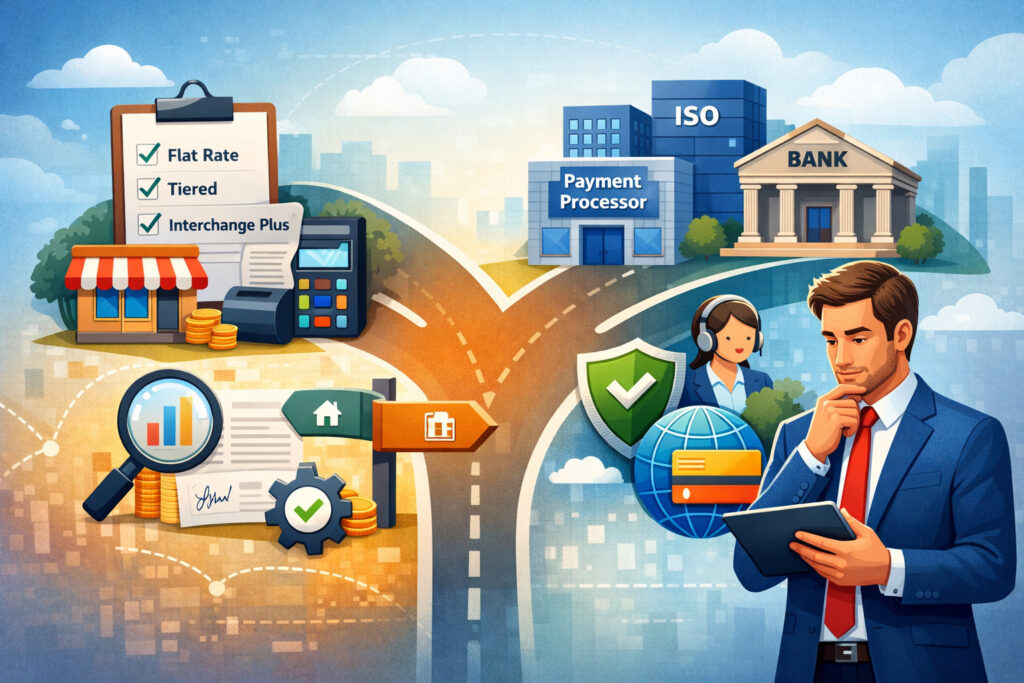
Many businesses assume “merchant services” is one thing. It isn’t. Your merchant services setup checklist should include choosing the right account structure: a dedicated merchant account, a payment facilitator (aggregated), or a hybrid option. Each affects pricing transparency, funding stability, risk controls, and how quickly issues get resolved.
A dedicated merchant account often offers more control, better long-term pricing for stable businesses, and clearer underwriting—especially for higher volumes. Aggregated models are fast to start, but may have stricter risk monitoring and can trigger sudden holds if your sales pattern changes.
Your merchant services setup checklist should align your choice with your risk profile, volume, and need for customization.
Next, decide what “provider” means in your case. You might need:
- An acquiring relationship (who settles card funds)
- A processor (who routes transactions)
- A gateway (online checkout and tokenization)
- A POS platform (inventory, staff, reporting)
- A terminal or device management layer
- Fraud and chargeback tools
Some vendors bundle these. Others require best-of-breed components. The merchant services setup checklist you build should name each component and the owner of that component, so you’re not stuck in support ping-pong.
A key step in the merchant services setup checklist is verifying contract clarity: term length, early termination, PCI fees, monthly minimums, surcharges, gateway fees, chargeback fees, and batch fees. Avoid surprises by demanding a complete fee schedule and asking for a written example of a monthly statement with your volume assumptions.
Evaluate Pricing Models, Interchange Categories, and Hidden Fees
Pricing is not just “rate.” Your merchant services setup checklist should include understanding how pricing is structured. The most common formats are interchange-plus and tiered pricing.
Interchange-plus is usually easier to audit because interchange is passed through and the provider adds a consistent markup. Tiered pricing can hide the true cost by bundling many interchange categories into broad tiers.
Your merchant services setup checklist should also include matching your transaction mix to pricing. If you do more debit, regulated debit can be less expensive than premium rewards credit.
If you do keyed-in or online transactions, interchange is often higher than chip/tap. If you sell high-ticket items, authorization and risk controls become more important, and chargeback exposure is costlier.
Ask for these specifics in your merchant services setup checklist:
- Markup (basis points and per-item fees)
- Authorization fees and batch fees
- Monthly platform fees (gateway/POS)
- Chargeback and retrieval fees
- PCI program fees (if any)
- Refund fees (some providers charge them)
- Funding speed costs (same-day vs next-day)
- Hardware lease terms (avoid long leases)
The goal is predictable cost. A strong merchant services setup checklist includes an “all-in effective rate” estimate under normal and peak conditions—so you don’t get blindsided by seasonality.
Underwriting Readiness and Documentation You Should Prepare
Underwriting is where merchant services become real. If your documents are messy, approvals slow down and you risk holding later. A complete merchant services setup checklist includes preparing underwriting information before you apply.
Typical items include business formation documents, EIN confirmation, ownership IDs, bank account verification, and sometimes supplier invoices or fulfillment proof (especially for online or high-ticket).
Provide accurate product descriptions and consistent branding across your website, invoices, and receipts. Underwriters look for mismatches because mismatches are correlated with disputes.
Your merchant services setup checklist should also include:
- A clean, customer-friendly refund/return policy
- Clear contact details (phone/email) that customers can reach
- A descriptor plan (what appears on statements)
- Shipping timelines and proof of delivery practices
- Subscription cancellation flow (if recurring)
If you bill recurring, underwriting will often scrutinize your cancellation method and customer communications. Your merchant services setup checklist should include pre-emptive “dispute prevention” language: receipts, order confirmations, renewal reminders, and transparent billing descriptors.
Finally, be honest about volume, average ticket, and future growth. Understating volume may get you approved faster—but can trigger risk alarms when you scale. A scalable merchant services setup checklist balances fast approval with long-term stability.
Set Funding, Settlement, and Reserve Expectations Upfront
Funding is not just “when do I get paid.” Your merchant services setup checklist should clarify settlement timing, cut-off times, weekend/holiday treatment, and how chargebacks affect deposits. If cash flow is tight, a one-day delay can matter.
Ask how funding works in detail:
- When batches close (auto-close vs manual)
- Typical deposit window (next day, two days)
- How refunds and chargebacks are debited
- Whether reserves apply (rolling or fixed)
- Whether high-risk monitoring triggers holds
A strong merchant services setup checklist also includes bank reconciliation practices. Decide how you will match deposits to batches, and whether your POS/gateway exports align with your accounting system. Inconsistency here creates “phantom shrink” where money is technically correct but operationally confusing.
If you operate in industries with higher chargeback rates or longer fulfillment times, a reserve may be normal. Your merchant services setup checklist should include negotiating reserve terms: percentage, duration, release schedule, and what operational improvements can reduce or remove it.
Hardware, POS, and Gateway Setup That Prevents Downtime

Hardware decisions can either make checkout smooth or turn it into a daily headache. Your merchant services setup checklist should include selecting devices that match your environment: countertop terminals, mobile readers, integrated POS, kiosks, or unattended devices. Consider durability, battery life, screen readability, and support replacement speed.
The configuration matters as much as the device. Your merchant services setup checklist should include:
- Network planning (primary + backup connectivity)
- Terminal encryption and key injection (managed properly)
- Automatic updates and remote device management
- Receipt and tip settings aligned with your business
- Employee PINs and role-based permissions
For online, your merchant services setup checklist should include gateway setup: API keys, webhooks, tokenization, and failover. Ensure your checkout is optimized for mobile and supports modern payment methods. Also decide how you will handle cart abandonment, declines, and alternative payment prompts.
Integration is where many setups fail. If your POS integrates with accounting, inventory, or booking software, your merchant services setup checklist should include a full test plan: tax rules, discounts, voids, partial refunds, tips, and end-of-day reconciliation. Don’t accept “it should work.” Verify it works with real scenarios.
Configure Receipts, Descriptors, Tips, Taxes, and Refund Workflows
Small checkout settings create big downstream issues. A complete merchant services setup checklist includes receipt and descriptor strategy because disputes often start with confusion. Your descriptor should match your brand name as customers recognize it. Include a phone number or short identifier when possible.
Receipts should include:
- Item details and taxes
- Refund/return policy link or short summary
- Order ID and date/time
- Delivery method (pickup, shipment, digital)
- Customer support contact
Tip configuration deserves special attention. If you accept tips, your merchant services setup checklist should define when tips are captured, whether tips can be adjusted after authorization, and how tips are reported for payroll. Misconfigured tips can cause staff conflict and accounting headaches.
Refund workflows should be standardized. Your merchant services setup checklist should define who can refund, refund limits, manager approvals, and whether refunds require the original card. For online, include partial refunds and cancellation flows. Also decide whether you will issue store credit vs card refunds and how to document exceptions.
Security and Compliance: PCI, Data Handling, and Network Controls
Security is not optional, and it’s not a one-time form. Your merchant services setup checklist must include a realistic security plan based on how you handle payment data. The biggest rule: minimize what you store and touch. Use tokenization and keep sensitive data out of your systems whenever possible.
PCI standards evolve, and future-dated requirements have become mandatory on a defined timeline. The PCI Security Standards Council has stated that new PCI DSS v4.x requirements come into effect on March 31, 2025.
Your merchant services setup checklist should include confirming which PCI version your provider supports and what your validation method is (SAQ type, scanning requirements, and responsibilities).
Include these controls in your merchant services setup checklist:
- Segmented network for POS devices (separate from guest Wi-Fi)
- Strong passwords and unique credentials (no shared logins)
- Role-based access and regular access reviews
- Patch management and firmware updates
- Logging and monitoring for suspicious behavior
- Incident response plan (who does what when something happens)
If you use third-party vendors, define who is responsible for what. Your merchant services setup checklist should include vendor attestations where needed and confirm whether your POS provider is using validated encryption solutions.
Reduce Card Data Exposure With Tokenization and Point-to-Point Encryption
The best security strategy is to avoid handling sensitive data. Your merchant services setup checklist should prioritize tokenization (storing a surrogate token instead of real card data) and point-to-point encryption (P2PE) for in-person payments where available.
Tokenization helps recurring billing and saved cards without making you a data vault. P2PE reduces the scope of what your network must protect because card data is encrypted from the moment it’s captured.
Also define what data your staff can see. Your merchant services setup checklist should forbid writing down card numbers, storing card details in notes, or sharing customer data over chat. Train employees on social engineering because fraudsters often call pretending to be “support.”
Finally, build a security cadence. A living merchant services setup checklist includes monthly tasks: review user access, check device inventory, verify updates, and ensure terminals haven’t been tampered with.
Fraud Prevention and Chargeback Management Built Into Day One
Fraud tools are cheapest before you need them. Your merchant services setup checklist should include a fraud strategy per channel. For in-person, chip/tap reduces counterfeit fraud, but you still need controls for refund abuse, friendly fraud, and employee manipulation. For online, you need layered defenses.
Online controls to include in your merchant services setup checklist:
- AVS and CVV checks with sensible decline rules
- Velocity rules (attempt limits per card/device/email/IP)
- Risk scoring or machine-learning tools (when volume supports it)
- 3DS strategy for high-risk orders (selective, not always-on)
- Manual review queues for edge cases
- Shipping and digital delivery confirmation
Chargebacks are partly operational. Your merchant services setup checklist should include dispute prevention: clear policies, proactive customer support, and fast refunds when appropriate. Also set up alerts and a calendar for response deadlines.
Document everything. The best merchant services setup checklist includes templates: proof of delivery, service logs, signed estimates, and customer communications. Even if you “win” a dispute, the time cost is real. The goal is fewer disputes, not better arguments.
Build a Dispute-Ready Paper Trail Without Slowing Sales
You don’t need to make checkout painful to be dispute-ready. Your merchant services setup checklist should focus on capturing the right evidence automatically:
- Email confirmations with itemized details
- Address validation for shipped goods
- Delivery confirmation (signature for high-ticket)
- Digital service completion logs (for services)
- Customer acceptance acknowledgments (clickwrap or signature)
Also improve your statement descriptor and customer support response time. Many disputes happen because customers don’t recognize a charge or can’t reach you. Your merchant services setup checklist should include a “first-contact resolution” goal: answer within a business day, ideally faster.
Finally, define refund thresholds. For small transactions, a fast refund may be cheaper than a dispute even if you’re right. Your merchant services setup checklist should include decision rules so staff don’t improvise under pressure.
Payment Methods and Checkout Optimization for Higher Approval Rates
Modern customers expect choices. Your merchant services setup checklist should include deciding which payment methods you’ll accept based on customer behavior, ticket size, and risk. Cards are essential, but adding wallets, ACH, and real-time options can reduce friction and fees in certain scenarios.
Real-time payments are growing through new rails and bank services. The Federal Reserve launched the FedNow Service in July 2023, supporting near real-time interbank clearing and settlement 24x7x365.
Your merchant services setup checklist should include a future-ready plan: even if you don’t enable real-time payments today, ensure your invoicing and accounting systems can accommodate faster settlement and richer remittance data.
Also focus on approval rates. Declines are silent revenue loss. Your merchant services setup checklist should include:
- Correct MCC assignment and accurate business category
- Stable processing patterns (avoid sudden spikes without notice)
- Proper recurring flags for subscription charges
- Network tokenization and account updater tools (where supported)
- Retry logic for soft declines (without spamming attempts)
Checkout optimization is also UX. Reduce form fields, support autofill, and provide clear error messages. When customers can complete checkout quickly and confidently, your merchant services setup checklist turns into a measurable conversion lift.
Plan for Alternative Payments, Invoicing, and Faster Settlement
Not every sale should be a card sale. A smart merchant services setup checklist includes options like invoicing, bank transfer, and account-to-account payments for larger tickets or B2B transactions. These methods can reduce processing costs and lower chargeback exposure.
FedNow materials highlight use cases like account-to-account transfers and bill pay, plus value-add features such as request for payment and remittance information. As these features mature, your merchant services setup checklist can include a roadmap: start with card + wallet, then expand into invoice-based A2A payments for eligible customers.
Add operational guardrails: define when you’ll offer discounts for bank payments (if permitted), how you’ll confirm receipt, and how you’ll reconcile remittance details. The goal is to add payment methods without creating accounting chaos.
Policies, Compliance Disclosures, and Customer Communication That Reduce Risk
Clear policies are a profit lever. Your merchant services setup checklist should include publishing (and consistently enforcing) policies that reduce disputes: returns, refunds, cancellations, delivery timelines, warranties, and support hours. Keep the language simple and visible at checkout and on receipts.
If you plan to surcharge credit card transactions or add convenience fees, your merchant services setup checklist must include network rule compliance and state-level restrictions.
Visa publishes specific guidance for merchant surcharging, including disclosure expectations and other requirements. Mastercard also maintains a surcharge rules page and merchant FAQ materials.
Even if you don’t surcharge, you still need disclosure discipline. Your merchant services setup checklist should include:
- Clear pricing display (avoid surprise add-ons)
- Tax calculation transparency
- Shipping costs and timing upfront
- Subscription renewal notices (if recurring)
- Easy cancellation and refund access
Customer communication is also part of risk management. Set expectations early, then confirm them in writing. A good merchant services setup checklist makes it hard for a customer to truthfully claim they didn’t know what they bought.
If You Surcharge or Add Fees, Follow Card Network Rules Carefully
Surcharging is not “set a percentage and move on.” Your merchant services setup checklist should include a compliance workflow: required signage, receipt disclosures, online checkout notices, and how you’ll cap fees.
Mastercard’s guidance explains that credit card surcharges are permitted under certain rules and not allowed on certain transaction types, and it outlines merchant responsibilities. Visa also provides a merchant surcharging Q&A with requirements and considerations.
Your merchant services setup checklist should include:
- Confirming your acquirer/processor’s surcharge enablement process
- Ensuring debit transactions are not surcharged if prohibited by network rules
- Ensuring disclosures appear before checkout completion
- Keeping fee percentages within allowed limits
- Keeping documentation of your surcharge policy and configuration
If you’re unsure, don’t guess. Build compliance into your merchant services setup checklist so you don’t face fines, reversals, or reputational damage.
Testing, Go-Live, Training, and Ongoing Monitoring
The last stage is where good setups become great. Your merchant services setup checklist should include a formal test plan before you take your first real payment. Test every path: chip, tap, swipe (if enabled), keyed entry (if allowed), refunds, voids, partial refunds, tips, discounts, taxes, and offline edge cases.
Your merchant services setup checklist should include a go-live plan:
- Install and verify connectivity
- Confirm receipt settings and descriptors
- Run test transactions and validate deposits
- Confirm batch close behavior and settlement timing
- Train staff with role-based permissions
- Set escalation contacts for support
Training is critical. Many losses come from employee errors: duplicate charges, wrong refund methods, and poor customer communication. Build a simple playbook: “What to do when a card declines,” “How to handle a refund request,” “How to spot suspicious orders,” and “Who approves exceptions.”
Then implement monitoring. A living merchant services setup checklist includes weekly reviews of decline rates, chargebacks, refund ratios, and device health. This is how you catch problems early—before they become funding holds or a compliance mess.
Create a 30-60-90 Day Optimization Plan After Setup
Merchant services aren’t “done” at install. Your merchant services setup checklist should extend into optimization. In the first 30 days, focus on stability: deposits, reconciliation, device uptime, and staff compliance with workflows. Fix pain points quickly.
In 60 days, focus on performance: approval rates, checkout speed, and fraud rules tuning. If you added strict fraud filters, make sure you’re not blocking good customers. Measure outcomes and adjust.
In 90 days, focus on strategic expansion: more payment methods, improved reporting, and cost control. Evaluate whether your pricing still matches your transaction mix and whether additional tools (like account updater, network tokens, or dispute alerts) would reduce churn and losses.
This is where the merchant services setup checklist becomes a competitive advantage: you’re not just taking payments—you’re engineering a better revenue engine.
Future Predictions: Where Merchant Services Is Headed Next
To keep your merchant services setup checklist “future-proof,” watch these trends:
First, real-time payments will keep expanding. The FedNow Service is designed for continuous processing and supports use cases like A2A transfers and bill pay, with additional features planned in subsequent releases. Expect more invoice-level remittance data, faster settlement expectations, and stronger customer demand for instant confirmation.
Second, security standards will continue to tighten. With PCI DSS v4.x requirements becoming mandatory on March 31, 2025, businesses should expect more emphasis on authentication, monitoring, and documented processes. Your merchant services setup checklist should plan for continuous compliance rather than annual “check the box” behavior.
Third, fraud will get more adaptive. As chip/tap reduces counterfeit fraud, attackers focus on account takeover, social engineering, refund abuse, and friendly fraud. Your merchant services setup checklist should prioritize identity signals, behavior analytics, and better customer communication—not just stricter declines.
Finally, payments will become more embedded into POS and vertical software. That means switching providers may get harder if integrations are proprietary. A modern merchant services setup checklist should include portability questions: data exports, token portability (if available), and migration support.
FAQs
Q.1: What is a merchant services setup checklist, and why do I need one?
Answer: A merchant services setup checklist is a structured plan for selecting, configuring, and operating payment acceptance so you reduce risk and avoid surprises.
Without a merchant services setup checklist, businesses often rush into a provider based on a quoted rate, then discover hidden costs, missing features, unstable funding, or weak fraud protection. The checklist matters because payments are not just “tech”—they’re policy, training, accounting, security, and customer experience.
A strong merchant services setup checklist ensures your devices, gateway, POS, and bank reconciliation all work together, and it helps you document responsibilities (who closes batches, who handles disputes, who updates terminals).
Over time, the checklist becomes your internal standard operating procedure. That standard is what prevents downtime, improves approval rates, and keeps your cash flow predictable.
Q.2: How long should merchant services setup take?
Answer: A basic merchant services setup checklist can be implemented quickly if your business model is simple and your documentation is ready. But “fast” is not always “stable.” The timeline depends on underwriting, hardware shipping, integrations, and testing.
If you’re integrating with a POS or eCommerce platform, your merchant services setup checklist should include time for configuration and end-to-end testing: taxes, tips, discounts, refunds, and settlement verification.
A smart approach is phased go-live: test internally first, run a soft launch, then train staff and roll out fully. This reduces the risk of downtime or deposit confusion. The goal is not the fastest setup; it’s the smoothest setup that protects cash flow.
Q.3: What are the most common merchant services mistakes?
Answer: The biggest mistakes happen when businesses skip steps in the merchant services setup checklist. Common issues include choosing a provider based only on “rate,” leasing hardware with expensive long terms, failing to match the setup to the business channel mix, and ignoring fraud tools until disputes spike.
Another frequent mistake is not planning descriptors and customer communication, which leads to “unrecognized charge” disputes. Businesses also underestimate how important reconciliation is—if you can’t match deposits to batches, you waste hours and lose confidence in your numbers.
Finally, many teams treat compliance as paperwork instead of a process, and they don’t maintain a device and access review cadence. A complete merchant services setup checklist prevents these problems before they become expensive.
Q.4: Do I need PCI compliance if I use a POS or gateway?
Answer: Yes, but your scope can be much smaller. Your merchant services setup checklist should aim to reduce your exposure by using validated solutions, tokenization, and strong device/network controls.
PCI requirements still apply because you accept card payments, but the validation method and responsibilities depend on how you process and store payment data.
PCI DSS timelines and requirements evolve; planning for ongoing compliance is part of a modern merchant services setup checklist. The best strategy is to minimize what your systems touch and to follow provider guidance for validation and scanning.
Q.5: Should I accept ACH or real-time payments in addition to cards?
Answer: Often, yes—especially for invoices, larger tickets, or repeat customers. Your merchant services setup checklist should consider alternative payments because they can reduce fees and lower chargeback exposure.
Real-time payment rails are expanding, and services like FedNow are designed to support near real-time transfers with use cases including bill pay and account-to-account transfers. If you add these methods, include reconciliation and remittance handling in your merchant services setup checklist so accounting stays clean.
Q.6: Can I add a surcharge or convenience fee?
Answer: Sometimes, but the rules are strict and vary by payment type, network requirements, and state-level rules. Your merchant services setup checklist should include reviewing network rules and configuring disclosures correctly before you enable fees.
Visa provides merchant surcharging guidance, and Mastercard maintains surcharge rules and merchant FAQ documentation that outline requirements and limitations. If you’re not fully confident you can comply, it may be safer to improve pricing strategy or offer cash discounts where permitted rather than risking improper fee practices.
Conclusion
A payments setup is either a controlled system or an expensive improvisation. A complete merchant services setup checklist gives you control.
It forces you to define requirements before you buy, confirms underwriting readiness before you apply, validates hardware and gateway configuration before you go live, and builds security and fraud prevention into day one—not after problems appear.
Most importantly, a strong merchant services setup checklist creates operational clarity. Everyone knows who closes batches, who can issue refunds, how disputes are handled, and how deposits reconcile. That clarity reduces errors, speeds up support resolution, and protects customer trust.
Use this guide as a living merchant services setup checklist. Review it at least quarterly, and anytime you add a new channel, new product line, new location, or new pricing model. Payment technology will keep evolving—especially with tighter security standards and expanding real-time payment options.
If you keep your merchant services setup checklist current, you’ll be ready to scale without losing sleep over cash flow, compliance, or checkout reliability.
Leave a Reply