
Credit card transaction flow is the journey a card payment takes from the moment a customer pays to the moment the merchant receives funds. At checkout, it can look instant. A customer taps, inserts, swipes, keys in, or enters card details online, and within seconds the screen says approved or declined.
Behind that simple message is a coordinated payment transaction flow involving secure data capture, credit card authorization, payment capture, batch processing, clearing and settlement, fees, funding, reporting, and reconciliation.
The sale does not move directly from the cardholder to the merchant’s bank account in one step. Instead, transaction data and money move through several parties and systems before the final funding deposit appears.
This guide explains the credit card transaction process in a practical way for business owners, ecommerce sellers, retail stores, restaurants, service providers, finance teams, bookkeepers, developers, and new merchants.
You will learn what happens at each stage, why deposits may not match sales totals, how refunds and chargebacks affect the flow, and how to track transactions from checkout to settlement report.
What Is Credit Card Transaction Flow?
Credit card transaction flow describes the full movement of a card payment from customer checkout to merchant funding. It includes the data path, the approval decision, the final transaction capture, the batch close, clearing and settlement, fee deductions, and the deposit into the business bank account.
A common misunderstanding is that card payments instantly transfer money from the cardholder to the merchant. In reality, the first response at checkout is usually only an authorization response.
That response tells the merchant whether the issuing bank approved the transaction request. It does not mean the merchant has already received the money.
The credit card payment flow usually includes these stages:
- The cardholder starts the payment.
- The merchant collects payment data securely.
- An authorization request is routed for approval.
- The issuing bank sends a payment approval or declined transaction response.
- The merchant captures the transaction.
- Transactions are grouped through batch processing.
- Clearing and settlement finalize details between financial institutions.
- Payment processing fees may be deducted.
- Merchant funding is deposited.
For example, a restaurant may authorize a card when the guest receives the bill, adjust the total after the tip, capture the transaction, close the batch at the end of the day, and receive a net deposit later. The customer may see a pending transaction before the final settled amount appears.
Why Understanding the Credit Card Payment Flow Matters

Understanding credit card transaction flow helps businesses manage cash flow, troubleshoot payment issues, and keep accounting records accurate. When owners and finance teams understand the card payment process, they are less likely to confuse gross sales with net deposit amounts or assume every approved sale has already been funded.
This knowledge is useful for daily operations. Retail stores need to know when batches close. Restaurants need to understand tip adjustments and authorization holds.
Ecommerce sellers need to know the difference between order status, authorization status, capture status, and settlement status. Service providers need to understand invoice payments, virtual terminals, and recurring billing retries.
It also helps with customer support. If a buyer asks why a transaction shows pending, staff can explain that an authorization hold may appear before final settlement. If a refund is issued, the team can explain that the refund starts a new payment transaction flow and may not disappear from the customer’s account immediately.
For finance teams and bookkeepers, transaction flow affects reconciliation. A day’s gross sales may differ from the funding deposit because of payment processing fees, refunds, chargebacks, reserves, batch timing, or multiple settlement groups. Reviewing the settlement report, bank deposit, POS payments report, and merchant statement helps identify the difference.
Understanding the credit card processing flow also helps merchants ask better questions about fees. Interchange fees, assessment fees, processor markup, gateway fees, chargeback fees, batch fees, and other costs may be deducted before deposit or billed later. Knowing where fees fit into the flow makes statements easier to review.
Key Parties in the Credit Card Transaction Process

Several parties work together during the credit card transaction process. Each one has a different role. Some move transaction data. Some make approval decisions. Some help transfer funds. Some provide reports and tools the merchant uses to manage payment operations.
The main parties are the cardholder, merchant, payment gateway, payment processor, merchant account, acquiring bank, issuing bank, card network, and business bank account. In some setups, one provider may combine multiple functions, but the roles still exist behind the scenes.
The cardholder is the person using the card. The merchant is the business accepting the payment. The payment gateway is commonly used for ecommerce payments, invoice links, virtual terminals, and some POS systems. It securely transmits payment information between the merchant’s checkout environment and the processing system.
The payment processor routes the transaction to the right parties for authorization, clearing, and settlement. The merchant account is the payment-processing account that receives settled card funds before they are deposited into the business bank account. The acquiring bank supports the merchant side of the transaction.
The issuing bank is connected to the cardholder and decides whether to approve or decline the transaction. The card network sets operating rules and helps route messages between the acquiring and issuing sides.
For more background on merchant-side payment setup, this overview of how merchant accounts work can help connect the transaction flow to account structure.
Cardholder and Merchant
The cardholder begins the card transaction flow by presenting card details at checkout. That may happen by inserting an EMV chip card, tapping a contactless card, using a mobile wallet, swiping a magnetic stripe card, entering card information on an ecommerce checkout page, paying through an invoice link, giving card details over the phone, or being billed through recurring billing.
The merchant is the business accepting payment. A merchant can accept POS payments in a store, mobile payments at a job site, ecommerce payments through a website, invoice payments by email, or recurring payments through a subscription system.
The merchant’s system collects the transaction amount and payment details, then sends them into the payment processing flow.
In a retail store, the POS terminal may communicate directly with the processor or through gateway technology. In an online store, the payment gateway usually manages the secure exchange between the checkout page and the processor.
In a restaurant, the POS system may support tip adjustment before transaction capture. In a professional services business, a virtual terminal may allow staff to key in card details for an invoice payment.
The merchant’s job is not only to accept the sale. It also includes keeping receipts, closing batches when needed, tracking refunds, responding to chargebacks, and reconciling funding deposits.
Gateway, Processor, Banks, and Card Networks
The payment gateway, payment processor, acquiring bank, issuing bank, and card network handle the behind-the-scenes movement of transaction messages. The gateway securely collects and passes payment data.
The processor routes authorization and settlement messages. The acquiring bank represents the merchant side. The issuing bank represents the cardholder side. The card network helps move messages between them according to network rules.
During credit card authorization, the processor sends an authorization request through the correct route. The issuing bank reviews the transaction and sends an authorization response. That response may approve the sale, decline it, request additional authentication, or return a specific response code.
Later, after payment capture and batch processing, clearing and settlement help finalize the transaction details. Clearing confirms the transaction records, while settlement supports the movement of funds between financial institutions. After that, the merchant receives funding according to the account’s funding schedule.
The business bank account is where the merchant ultimately sees the funding deposit. This deposit may be net of fees, refunds, chargebacks, and reserve activity depending on the merchant account setup.
Credit Card Transaction Flow Step by Step
The credit card transaction flow can be understood as a series of connected steps. Each step has a purpose, and each step affects what the merchant sees in reports.
First, the customer initiates payment. In a store, this may involve a terminal or POS system. Online, it may involve a checkout page and payment gateway. For recurring billing, the system may use a stored payment token and scheduled billing rules.
Second, payment data is captured securely. Terminals, checkout forms, gateways, encryption, and tokenization help reduce the risk of exposing sensitive card information. Merchants should use secure payment tools and avoid storing sensitive card data unless they have the right systems and professional guidance.
Third, the authorization request is sent. The request may include the transaction amount, merchant details, card data or tokenized card reference, AVS information, CVV result data, device data, ecommerce risk signals, and fraud-screening indicators.
Fourth, the issuing bank approves or declines. If approved, the merchant receives a payment approval message. If declined, the customer may need another card, corrected details, or a different payment method.
Fifth, the transaction is captured. Capture tells the payment system the merchant intends to finalize the authorized transaction. Capture may happen automatically at checkout or later, depending on the business model.
Sixth, transactions are grouped through batch processing. A batch close submits captured transactions for clearing and settlement. Some systems close automatically; others require a manual end-of-day process.
Seventh, clearing and settlement occur. Transaction details are finalized, fees are calculated, and funds move through the financial system. Finally, merchant funding is deposited into the business bank account.
Credit Card Transaction Flow Table
The table below summarizes the payment processing flow from checkout to deposit. It is helpful for training staff, building internal payment procedures, and explaining why approval, settlement, and funding are not the same thing.
| Transaction Stage | What Happens | Who Is Involved | Merchant Impact |
| Customer starts payment | Cardholder presents card or enters payment details | Cardholder, merchant | Sale begins in POS, checkout, invoice, virtual terminal, or recurring system |
| Secure data capture | Card data or tokenized data is collected and transmitted | Merchant system, gateway, terminal | Sensitive payment data must be handled securely |
| Authorization request | Payment details are routed for approval | Gateway, processor, card network, issuing bank | Merchant waits for approval or decline |
| Authorization response | Issuing bank approves or declines | Issuing bank, processor, gateway, merchant | Checkout result appears to staff or customer |
| Authorization hold | Approved amount may appear as pending | Issuing bank, cardholder, merchant | Customer may see a pending transaction before settlement |
| Payment capture | Merchant finalizes the authorized transaction | Merchant, gateway, processor | Transaction becomes ready for batch processing |
| Batch processing | Captured transactions are grouped and submitted | Merchant, processor, acquiring bank | Batch timing affects settlement and funding |
| Clearing and settlement | Transaction records are finalized and funds move between institutions | Acquiring bank, issuing bank, card network, processor | Fees and final amounts are calculated |
| Merchant funding | Net deposit reaches business bank account | Merchant account, business bank | Deposit may differ from gross sales |
| Reconciliation | Reports are matched to deposits and accounting records | Merchant, bookkeeper, finance team | Differences are explained and recorded |
For merchants comparing account statements and deposits, this guide to credit card processing fees is useful because fees are one of the most common reasons deposits do not equal sales totals.
Step 1: Customer Starts the Payment
Every card payment process begins when the cardholder chooses to pay by card. The exact flow depends on whether the transaction is card-present or card-not-present.
Card-present transactions happen when the card or payment device is physically used at the point of sale. Examples include EMV chip insertion, contactless card taps, mobile wallet taps, magnetic stripe swipes, and keyed entry at a terminal. EMV and contactless payments usually provide stronger transaction data than manual keyed entry.
Card-not-present transactions happen when the card is not physically presented. Examples include ecommerce payments, invoice payments, phone orders, virtual terminal payments, and recurring billing.
These transactions rely more heavily on security checks such as AVS, CVV, tokenization, 3D Secure, fraud screening, IP checks, device signals, and customer account history.
In a retail store, the customer may tap a card and receive approval within seconds. In an ecommerce checkout, the buyer enters card information, billing address, shipping address, and sometimes additional authentication. In a subscription business, the customer may not actively enter card details each billing cycle because the system bills a stored token.
The merchant should understand how each payment channel starts because transaction risk, fee categories, refund handling, chargeback evidence, and reconciliation details can vary by channel.
Step 2: Payment Data Is Captured Securely
After the customer starts the payment, the merchant’s system captures payment data. This stage is critical because card data is sensitive. The merchant’s goal is to collect only what is needed, transmit it securely, and reduce exposure wherever possible.
In a physical store, the terminal reads card data from the chip, contactless interface, swipe, or manual entry. In ecommerce payments, the checkout page may send payment details to a payment gateway through a hosted page, embedded form, secure API, or redirect. In mobile payments, a mobile reader or app captures the payment and sends it through the processor or gateway.
Encryption helps protect data during transmission by making information unreadable to unauthorized parties. Tokenization replaces sensitive card data with a token that can be used for future billing or refunds without storing the original card number in the merchant’s environment. Secure gateways and PCI-aware systems help reduce risk.
Merchants should avoid collecting card details through unsafe channels such as ordinary email, text messages, shared documents, or unsecured forms.
Businesses that store, process, or transmit cardholder data should review their responsibilities with qualified payment security professionals. The official payment security standards resource is a useful starting point for understanding security expectations.
Secure data capture protects customers, reduces fraud exposure, and supports reliable authorization. It also helps developers design safer checkout flows and helps finance teams trust that transaction records are coming from approved payment systems.
Step 3: Authorization Request Is Sent
Once payment data is captured, the merchant’s system sends an authorization request. Credit card authorization is the stage where the payment system asks whether the card can be used for the transaction amount.
An authorization request may include the transaction amount, merchant identifier, card information or token, card expiration data, billing address data, CVV result, terminal data, ecommerce order data, device information, fraud-screening signals, and other transaction details. The exact data depends on the payment channel and system configuration.
The authorization request usually moves from the POS system or ecommerce checkout to the payment gateway or processor. From there, it is routed through the card network to the issuing bank. The issuing bank evaluates the request and returns an authorization response.
The issuing bank may consider available credit, card status, fraud rules, account restrictions, transaction amount, merchant category, location, cardholder behavior, and authentication results. In card-not-present transactions, AVS, CVV, 3D Secure, device data, and fraud screening may play a larger role because the physical card is not present.
For example, an online order may pass the card number and expiration check but fail CVV or AVS. The merchant may still receive a response, but the gateway’s fraud rules may block the order or place it under review. That is why payment approval and order acceptance should be treated as related but separate decisions.
Step 4: Approval or Decline Response
After the issuing bank reviews the authorization request, it sends an authorization response. The response tells the merchant whether the transaction is approved or declined. The customer and merchant usually see this result within seconds.
A payment approval means the issuing bank has authorized the amount. The merchant can continue with the sale, receipt, order confirmation, or fulfillment process. However, payment approval does not mean the merchant has already received funds. The transaction still needs capture, batch processing, clearing and settlement, and merchant funding.
A declined transaction means the issuer did not approve the request. Declines can happen for many reasons, including insufficient available credit, expired card, incorrect card data, suspected fraud, account restrictions, spending limits, cardholder travel patterns, issuer system rules, duplicate transaction flags, or AVS and CVV mismatches.
Merchants should avoid guessing the exact reason for a decline unless the system provides clear guidance. A customer-facing message such as “Please use another payment method or contact the card issuer” is often better than offering unsupported explanations.
In ecommerce payments, merchants may also see soft declines, hard declines, fraud-filter declines, or authentication-related declines. A soft decline may be retried under certain conditions. A hard decline usually should not be retried repeatedly. Repeated attempts can create customer frustration and may trigger additional issuer controls.
Step 5: Authorization Hold and Pending Transaction
When a transaction is approved, the issuing bank may place an authorization hold on the cardholder’s account. The customer may see this as a pending transaction. The hold reduces available credit or available funds while the transaction is waiting for capture and settlement.
An authorization hold is not the same as merchant funding. The merchant has not necessarily received money yet. The hold simply reserves the amount so the transaction can be completed later through settlement.
Pending transactions can confuse customers. A buyer may see a pending charge immediately after checkout, even though the merchant has not received the deposit. If the transaction is voided before settlement, the pending item may fall off rather than appearing as a completed charge and separate refund. Timing depends on the issuer and payment system.
Some industries use authorization holds more visibly. A lodging business may authorize an estimated amount for room charges and incidentals. A rental business may authorize a deposit. A restaurant may authorize the bill amount before the tip is added, then capture the final amount. A fuel purchase may begin with a preauthorization that differs from the final amount.
Merchants should explain pending transactions carefully. The final settled amount may differ from the original authorization in certain business models, but merchants should use transparent policies and accurate receipts.
Step 6: Capture and Batch Processing
Payment capture is the step where the merchant finalizes an authorized transaction for settlement. In many retail environments, authorization and capture happen almost together. In ecommerce, capture may be immediate or delayed until the order is ready to ship. In restaurants, capture may happen after the final tip amount is entered.
There are several capture types. Automatic capture occurs when the system captures the transaction soon after authorization. Delayed capture occurs when the merchant authorizes first and captures later.
Partial capture occurs when the merchant captures less than the authorized amount, often because part of an order is unavailable or shipped separately. Some systems also support multiple captures, depending on the platform and card rules.
Batch processing groups captured transactions together for submission. The batch close may happen automatically at a scheduled time or manually at the end of the business day. If a batch is not closed, settlement may be delayed. This can affect merchant funding and reconciliation.
Restaurants, salons, and service businesses that adjust tips should pay close attention to batch close procedures. Ecommerce sellers should monitor authorized but uncaptured orders. Retail stores should confirm whether batch settlement is automatic or requires staff action.
Step 7: Clearing and Settlement
Clearing and settlement are often mentioned together, but they are not exactly the same. Clearing confirms and exchanges final transaction details. Settlement moves funds between the financial institutions involved after transactions are finalized.
During clearing, captured transactions are submitted with details such as amount, merchant information, card type, transaction category, and other data used to calculate fees.
This stage helps determine interchange fees, assessment fees, processor markup, and other payment processing fees. It also helps ensure that the final transaction record matches the authorization and capture data.
During settlement, funds move from the issuing side to the acquiring side, subject to network rules and processing timelines. After settlement is completed, the merchant account is credited. Then the funding deposit is sent to the business bank account based on the merchant’s funding schedule.
Credit card settlement is not always visible to the customer, but it matters greatly to the merchant. Settlement timing affects cash flow, reporting, and reconciliation. Weekends, bank holidays, risk reviews, batch timing, and account setup can affect when funds become available.
Merchants should understand where to find settlement reports. These reports usually show batch totals, transaction counts, gross sales, refunds, chargebacks, fees, adjustments, and funding deposit amounts.
For broader background on payment system operations, the public payment systems education resources can help readers understand how payment movement differs from a simple sale event.
Step 8: Merchant Funding and Net Deposits
Merchant funding is the stage where money reaches the business bank account. The deposit may be called a funding deposit, net deposit, or settlement deposit. This is the point where the payment transaction flow becomes visible in the bank feed. The deposit amount often does not match the day’s gross sales. That does not automatically mean something is wrong.
Deposits may be reduced by refunds, chargebacks, interchange fees, assessment fees, processor markup, gateway fees, batch fees, reserves, funding holds, or prior adjustments. In some setups, fees are deducted daily before deposit. In others, fees are billed monthly.
For example, a merchant may process a gross sales total of $4,000 in card payments. The funding deposit may be $3,850 because processing fees and refunds were deducted. Another merchant may receive the full gross amount during the month and see fees debited separately later. Both setups require different reconciliation workflows.
Settlement timing can also cause differences. A late batch may settle with the next day’s transactions. Multiple locations, payment channels, and merchant accounts may create multiple deposits. Chargebacks may be deducted from future funding rather than the original sale day.
Bookkeepers should use settlement reports, batch reports, gateway reports, POS reports, merchant statements, and bank deposits together. Relying only on the bank feed can hide important details.
Authorization vs Capture vs Settlement
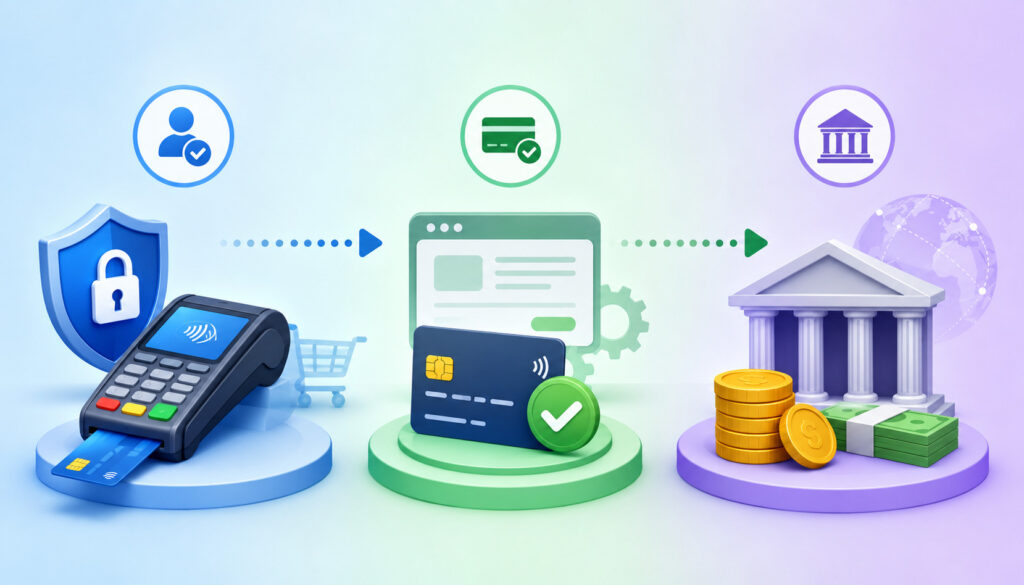
Authorization, capture, and settlement are three of the most important concepts in the credit card transaction flow. They are related, but each one serves a different purpose.
Authorization asks the issuing bank whether the transaction can proceed. It checks the card, available credit or funds, risk rules, and account status. The result is a payment approval or decline.
Capture tells the payment system that the merchant wants to finalize an approved transaction. This is the step that prepares the transaction for batching, clearing, and settlement.
Settlement is the financial movement that finalizes the transaction between financial institutions and supports merchant funding. Settlement happens after captured transactions are submitted and processed.
A simple example helps. A customer orders an item online. The merchant authorizes the card when the order is placed. The merchant captures the payment when the item ships. The transaction settles later, and the merchant receives a funding deposit after fees and adjustments.
This distinction matters because problems can happen at any point. A transaction may be authorized but never captured. A captured transaction may miss the batch close. A settled transaction may later be refunded or disputed. A funded transaction may still be affected by a chargeback.
Credit Card Transaction Process Comparison Table
| Term | Simple Meaning | When It Happens | Why It Matters |
| Authorization | Issuer approves or declines the payment request | At checkout or billing attempt | Approval allows the sale to continue |
| Authentication | Extra step to verify the cardholder or transaction | Often during ecommerce payments | Helps reduce fraud and disputes |
| Authorization hold | Temporary pending amount on the customer’s account | After approval, before final posting | Explains why customers see pending charges |
| Capture | Merchant finalizes the authorized payment | Immediately or after order review/fulfillment | Required before settlement |
| Batch processing | Captured transactions are grouped for submission | Usually end of day or scheduled close | Affects settlement timing |
| Clearing | Final transaction details are exchanged and confirmed | After batch submission | Helps calculate fees and finalize records |
| Settlement | Funds move between financial institutions | After clearing | Supports merchant funding |
| Funding deposit | Net amount reaches the business bank account | After settlement | Must be reconciled against reports |
| Refund | Merchant returns funds after settlement | After a completed transaction | Reduces deposits or creates later adjustment |
| Chargeback | Issuer-initiated dispute reversal | After customer dispute | Affects funding, fees, and records |
Card-Present Transaction Flow
Card-present transactions happen when the customer uses the card or payment device in person. This includes EMV chip, contactless payments, mobile wallets, swipe, and terminal-based keyed entry. These transactions are common in retail stores, restaurants, salons, medical offices, repair shops, and field-service businesses.
The flow begins at the POS terminal. The customer presents the card or wallet, the terminal captures the payment data, and the authorization request is sent through the processor. The issuing bank sends an approval or decline response. If approved, the receipt is generated and the transaction is stored for capture and batch processing.
EMV chip and contactless payments can produce stronger transaction data than swipe or keyed entry. That does not remove all risk, but it can help with security and dispute evidence. Manual keyed entry may be necessary in some cases, but merchants should understand that it can carry higher risk.
Restaurants have a slightly different flow. A card may be authorized for the pre-tip amount, then the final amount is captured after the tip is added. Staff must enter tips accurately before batch close. If tips are entered after settlement or entered incorrectly, reconciliation and customer support issues can follow.
At the end of the day, the batch closes. The settlement report and POS report should be reviewed against receipts and expected totals. Later, the funding deposit should be matched to the settled net amount.
Card-Not-Present Transaction Flow
Card-not-present transactions happen when the customer’s physical card is not read by a terminal. Ecommerce payments, invoice payments, virtual terminal payments, phone orders, recurring billing, and mail orders fall into this category.
The card-not-present flow usually relies on a payment gateway. The customer enters card details into a hosted checkout page, embedded payment form, invoice payment link, or customer portal. The gateway securely sends the authorization request through the processor and receives the authorization response.
Because the card is not physically present, risk signals matter more. AVS compares billing address details. CVV checks the security code entered by the customer. 3D Secure may add cardholder authentication.
Tokenization can store a secure payment reference for future billing. Fraud tools may evaluate IP address, device fingerprint, order history, shipping address, transaction velocity, and unusual purchase behavior.
Card-not-present transactions often have higher chargeback risk than card-present transactions. Merchants should keep good order records, delivery confirmation, customer communications, refund policies, login history, and fraud-screening decisions.
For more detail on online acceptance tools, this resource on payment gateway basics provides helpful context for merchants using ecommerce checkouts, invoices, and virtual terminals.
Ecommerce Credit Card Transaction Flow
Ecommerce payments add several layers to the credit card processing flow. The customer places an item in the cart, enters checkout information, selects card payment, and submits the order. The payment gateway then sends the authorization request to the processor.
If the transaction is approved, the ecommerce platform may mark the order as paid, authorized, pending capture, processing, or ready for fulfillment depending on the configuration.
This is where merchants must understand the difference between order status and payment status. An order can exist even if payment failed. A payment can be authorized even if the order is still under fraud review. A payment can be captured before or after fulfillment depending on business rules.
Some sellers capture immediately. Others authorize at checkout and capture when the order ships. Delayed capture can be useful when inventory availability, fraud review, or fulfillment timing needs confirmation. However, authorizations do not last forever, and expired authorizations can create failed captures.
After capture, ecommerce transactions move into batch processing, clearing and settlement, and merchant funding. Refunds, partial shipments, split shipments, fraud holds, and chargebacks can create additional complexity.
Developers should design checkout workflows that clearly separate authorization result, capture status, order status, fulfillment status, and refund status. Finance teams should make sure ecommerce sales reports match gateway reports and settlement reports.
Recurring Billing Transaction Flow
Recurring billing uses stored payment credentials to charge a customer on a schedule. This is common for subscriptions, memberships, service retainers, software plans, payment plans, and repeat billing arrangements.
The first transaction often starts when the customer enters card details and agrees to recurring billing terms. The system may store a token rather than the full card number. On each billing date, the recurring billing system sends an authorization request using the stored token and scheduled amount.
If approved, the transaction is captured and moves through batch processing, clearing and settlement, and merchant funding. If declined, the system may follow retry logic. Retry rules may attempt the charge again after a set period, notify the customer, request a new card, or pause service access.
Failed recurring payments can happen because of expired cards, replaced cards, insufficient available credit, issuer restrictions, suspected fraud, or outdated billing information. Some systems support card account updater services, but merchants should still have customer notification workflows.
Recurring billing reports should show successful charges, failed attempts, retries, canceled subscriptions, refunds, chargebacks, and customer updates. Bookkeepers should reconcile recurring billing totals against gateway reports and funding deposits.
How Fees Fit Into the Credit Card Transaction Flow
Payment processing fees are connected to the transaction flow, but they may appear at different times depending on the pricing setup. Fees can be deducted before merchant funding, debited separately, or billed on a monthly statement.
Interchange fees are generally paid through the system to the issuing side and are often a major cost component of card acceptance. Assessment fees are charged by the card networks. Processor markup is the provider’s pricing above pass-through costs.
Merchants may also see gateway fees, transaction fees, batch fees, monthly fees, statement fees, chargeback fees, PCI-related fees, equipment fees, and other account charges.
Fees depend on several factors, including card type, transaction method, card-present or card-not-present status, merchant category, authorization data quality, risk level, pricing model, and account setup. For example, a keyed card-not-present transaction may price differently from an EMV chip transaction.
A merchant statement usually shows fees in more detail than a bank deposit. A settlement report may show the daily net deposit, while the monthly statement may show rate categories, transaction counts, interchange lines, assessment fees, processor markup, and other charges.
Merchants should review their effective rate, which is the total processing cost divided by total card volume for the period. This does not replace detailed statement review, but it gives a quick view of overall cost.
Common Credit Card Processing Fees Table
| Fee Type | What It Means | Where It Fits in the Flow | What Merchants Should Review |
| Interchange fees | Pass-through cost connected to the issuing side | Calculated during clearing and settlement | Rate categories, transaction qualification, card type |
| Assessment fees | Network-level fees | Applied during processing and settlement | Network fee lines and volume-based charges |
| Processor markup | Provider pricing above pass-through costs | Deducted daily or billed monthly | Percentage markup, per-item fees, monthly charges |
| Gateway fees | Charges for online gateway use | Often tied to ecommerce or virtual terminal transactions | Monthly gateway fees and per-transaction gateway costs |
| Transaction fees | Fixed or variable fee per payment | Charged per authorization or settled transaction | Approved, declined, refund, and auth fee treatment |
| Batch fees | Fee for closing or submitting a batch | At batch close or settlement | Whether batches are automatic and how often fees apply |
| Chargeback fees | Fee when a dispute is filed | After cardholder dispute | Dispute reason, evidence, response deadlines |
| PCI-related fees | Security or compliance-related account fees | Usually monthly or periodic | What the fee covers and merchant responsibilities |
| Equipment fees | Terminal, POS, or reader costs | Separate from transaction movement | Lease terms, replacement costs, support terms |
Merchants should avoid looking only at the headline rate. The full payment processing fees picture includes pass-through costs, processor markup, gateway charges, monthly account fees, and exception fees.
Refunds, Voids, Reversals, and Chargebacks in the Flow
Refunds, voids, reversals, and chargebacks all change the payment transaction flow, but they are not the same. Understanding the difference helps staff choose the right action and helps bookkeepers reconcile deposits correctly.
A void usually cancels a transaction before it fully settles. A reversal may release or correct an authorization hold. A refund returns money after a transaction has settled. A chargeback is a dispute initiated through the issuing side, usually after the cardholder questions or contests a transaction.
These actions affect reports differently. A void may prevent a sale from settling. A refund may appear as a separate negative transaction after the original sale. A chargeback may remove funds from a future deposit and add a fee. A reversal may reduce customer confusion by releasing a hold faster, when supported.
Merchants should document refund policies, staff permissions, approval rules, and dispute-response procedures. The team should also know where each action appears in the gateway, POS, settlement report, and merchant statement.
For more detail on disputes, this guide to chargeback management basics can help merchants understand how customer disputes affect payment operations.
Voids and Reversals
Voids and reversals usually relate to transactions that have not fully settled or need correction before completion. A void cancels the transaction before it enters settlement. This is common when a cashier notices an error right away, a customer changes the payment method, or an ecommerce order is canceled before capture.
A reversal can help release an authorization hold or correct an authorization that will not be completed. For example, if a transaction is authorized but the merchant does not intend to capture it, a reversal may tell the issuer to release the hold. Not all holds disappear instantly, because the issuer controls how the pending item appears to the cardholder.
Voids are often cleaner than refunds because the transaction may never settle. However, timing matters. Once a batch closes and settlement begins, a void may no longer be available, and the merchant may need to issue a refund instead.
Staff should be trained to act quickly when a sale is entered incorrectly. They should also understand the difference between canceling an order in an ecommerce platform and voiding or reversing the payment authorization in the payment system.
Refunds and Chargebacks
Refunds apply to settled transactions. When a merchant issues a refund, the refund creates its own transaction flow back toward the cardholder. The original transaction usually remains in the records, and the refund appears as a separate entry.
Refund timing can vary. The merchant may submit the refund promptly, but the customer may not see the final credit immediately. Merchants should keep refund receipts, policy records, and customer communications.
Chargebacks are different because they are initiated through the issuing side after the cardholder disputes a transaction. A chargeback can remove funds from the merchant, create a fee, require evidence, and affect reconciliation.
The merchant may be able to respond with documentation, such as receipts, delivery confirmation, refund policy acceptance, customer communication, or proof of service.
Chargebacks can also affect cash flow because deductions may occur after the original funding deposit. A sale funded earlier can still be disputed later. Merchants should monitor chargeback notices and deadlines carefully.
Common Problems in the Credit Card Transaction Process
Payment issues can happen at many points in the credit card transaction process. A transaction may decline at authorization, fail during capture, miss the batch, settle late, fund at a different amount than expected, or later become a refund or chargeback.
Common authorization problems include expired cards, incorrect card numbers, insufficient available credit, issuer restrictions, AVS mismatch, CVV mismatch, duplicate transaction flags, fraud-filter rules, and gateway timeouts. In ecommerce payments, a customer may abandon the order after authentication fails or after the page times out.
Capture problems can occur when an ecommerce order is authorized but not captured, a partial capture is entered incorrectly, or an authorization expires before capture. Batch problems can occur when staff forget to close the batch, a POS system loses connectivity, or a terminal is not included in the end-of-day process.
Settlement and funding problems include bank holidays, reserve holds, risk reviews, incorrect bank account details, returned funding deposits, settlement report mismatches, refunds, chargebacks, and multiple batches settling together.
When troubleshooting, identify the stage first. Ask whether the transaction was authorized, captured, batched, settled, and funded. Then check the gateway report, processor report, POS report, settlement report, merchant statement, and bank deposit.
Authorization Problems
Authorization problems happen before the transaction becomes a completed sale. The customer may see a decline message, the merchant may see a response code, or the ecommerce platform may show a failed payment.
Common causes include expired cards, incorrect card details, insufficient available credit, cardholder spending limits, issuer fraud rules, account restrictions, duplicate attempts, incorrect billing address, CVV mismatch, AVS mismatch, and gateway fraud filters. Sometimes the issue is temporary, such as issuer downtime or a network communication problem.
Merchants should avoid repeatedly retrying a declined transaction without customer confirmation. Repeated attempts can trigger additional fraud controls. Instead, ask the customer to verify details, try another payment method, or contact the issuer.
Developers should log authorization response codes securely without exposing sensitive card data. Customer-facing messages should be helpful but not overly specific about fraud controls.
Settlement and Funding Problems
Settlement and funding problems happen after authorization and capture. The sale may be approved, but the merchant may not see the expected deposit when expected.
Common causes include missed batch close, late batch close, multiple batches combined into one deposit, weekend or holiday timing, reserve holds, underwriting reviews, refunds, chargebacks, processing fees, incorrect bank account details, returned ACH deposits, or report timing differences.
A common reconciliation issue is comparing the wrong periods. A POS report may show sales by calendar day, while the settlement report may group transactions by batch close time. A late-night batch can cause sales from one day to fund with another day’s deposit.
To resolve settlement issues, compare batch ID, settlement date, funding date, gross sales, refunds, fees, chargebacks, adjustments, and net deposit. If the deposit still does not match, review merchant support documentation or seek professional bookkeeping help.
Security in the Credit Card Transaction Flow
Security is part of every stage of the credit card transaction flow. The goal is to protect cardholder data, reduce fraud, and limit access to payment systems.
PCI compliance is the common framework for businesses that store, process, or transmit cardholder data. Merchants should understand their responsibilities and work with qualified professionals when needed. The exact requirements depend on the payment environment, transaction volume, systems used, and provider setup.
Encryption protects data during transmission. Tokenization replaces sensitive card numbers with tokens that can be used for future transactions. EMV helps strengthen card-present transaction data. AVS and CVV help validate card-not-present transactions.
3D Secure may add an authentication step for ecommerce payments. Fraud screening can review transaction patterns, location signals, velocity, and order details.
Access controls also matter. Staff should have only the payment permissions they need. Refund access, virtual terminal access, report access, and admin settings should be controlled. Shared logins should be avoided where possible.
Merchants should never collect card data through ordinary email or store card numbers in spreadsheets. Developers should avoid building custom payment flows unless they understand security obligations and use approved tools.
The public business security guidance from a consumer protection agency is a helpful source for general data-security awareness, though merchants should seek qualified guidance for specific payment compliance questions.
How Merchants Can Track Transaction Flow
Merchants can track card transaction flow by using the reports available in their POS system, payment gateway, processor portal, merchant account dashboard, bank account, and accounting software. Each report shows a different part of the picture.
The POS report usually shows sales activity by register, location, employee, product, tax, tip, and tender type. The gateway report may show authorization, capture, refund, decline, and fraud-screening activity.
The batch report shows which captured transactions were grouped for settlement. The settlement report shows finalized amounts, refunds, fees, adjustments, and net funding. The bank deposit shows what actually reached the business account.
No single report tells the full story every time. For example, a POS report may show a sale, but the gateway may show that capture failed. A bank deposit may show a net amount, but the settlement report explains why it differs from gross sales. A merchant statement may show monthly fees that do not appear in daily reports.
A good tracking process includes transaction IDs, batch IDs, settlement dates, deposit dates, refund IDs, chargeback case numbers, and accounting entries. This makes it easier to investigate customer questions, missing deposits, and statement discrepancies.
Reconciliation: Matching Transactions to Deposits
Reconciliation is the process of matching card sales, refunds, chargebacks, fees, and deposits to accounting records. It connects the payment processing flow to the books.
Start with gross sales from the POS or ecommerce platform. Then compare captured transactions against batch reports. Next, compare batch totals against settlement reports. Finally, match funding deposits to the bank account. Differences should be explained by fees, refunds, chargebacks, reserves, adjustments, timing differences, or multiple batches.
For example, a merchant may have $8,000 in gross card sales, $300 in refunds, $50 in chargeback deductions, and $220 in processing fees. The net deposit may be $7,430. Without the settlement report, the deposit can look wrong. With the report, the difference becomes explainable.
Bookkeepers should also watch for timing differences. Sales recorded on one date may settle on another. Batches closed after midnight may appear in the next processing period. Refunds and chargebacks may be deducted from deposits unrelated to the original sale day.
Accounting software can help, but it still needs accurate mapping. Create separate accounts or categories for gross sales, payment processing fees, refunds, chargebacks, and deposits. Review monthly merchant statements to confirm that daily records align with the final statement.
Common Mistakes Merchants Make With Transaction Flow
Many payment problems come from misunderstandings rather than system failures. One common mistake is assuming that payment approval means funds are already deposited. Approval is only the authorization stage. Capture, batch processing, clearing and settlement, and merchant funding still need to occur.
Another mistake is ignoring batch close procedures. If batches are not closed on time, settlement and funding can be delayed. Businesses with multiple terminals or locations should verify that all devices are included in the batch process.
Merchants also confuse gross sales with net deposits. Gross sales are the total card sales before deductions. Net deposit is what reaches the bank after fees, refunds, chargebacks, reserves, and adjustments. Comparing these two numbers without reviewing settlement details can create unnecessary confusion.
Some businesses overlook refunds and chargebacks during reconciliation. A refund issued after settlement may reduce a later deposit. A chargeback may deduct money weeks after the original sale. If the bookkeeper only looks at daily sales, the records may be incomplete.
Other common mistakes include failing to review fees, not saving settlement reports, giving too many staff members refund access, storing card data improperly, not training staff on declines, and not monitoring recurring billing failures.
Questions Merchants Should Ask About Credit Card Transaction Flow
Merchants can improve payment operations by asking practical questions about the credit card processing flow before problems appear. These questions are useful when setting up a new account, changing payment tools, training staff, or reviewing reports.
Ask when transactions are authorized and when they are captured. Some systems capture immediately; others require a separate step. Ask whether batches close automatically or manually, and what time the batch closes. Ask how long settlement usually takes and when funds are deposited.
Ask whether fees are deducted daily or billed monthly. This affects whether the funding deposit equals gross sales or net sales. Ask how refunds are processed, whether refund fees apply, and how refund timing appears in reports.
Ask how chargebacks are deducted, where notices appear, who receives alerts, and what response deadlines apply. Ask where settlement reports, batch reports, gateway reports, and merchant statements can be found.
For ecommerce and recurring billing, ask how failed payments are reported, how retries work, how stored tokens are managed, and how expired cards are handled. For restaurants, ask how tips are adjusted and when final capture occurs.
The better the answers, the easier it becomes to manage cash flow, fees, support questions, and reconciliation.
Credit Card Transaction Flow Checklist
Use this checklist to review the payment transaction flow inside a business:
- Payment methods are understood across POS payments, ecommerce payments, mobile payments, invoice payments, virtual terminals, and recurring billing.
- Credit card authorization steps are documented.
- Capture timing is confirmed.
- Batch close process is documented.
- Settlement timeline is understood.
- Merchant funding schedule is reviewed.
- Fee deduction method is checked.
- Refund process is understood.
- Void and reversal procedures are documented.
- Chargeback process is reviewed.
- Gateway reports are reviewed regularly.
- POS reports are reviewed regularly.
- Settlement reports are saved.
- Funding deposits are reconciled.
- Gross sales and net deposit differences are explained.
- Staff are trained on payment workflows.
- Access to refunds and virtual terminal tools is controlled.
- Security responsibilities are reviewed.
- Sensitive payment data is not stored in unsafe places.
- Monthly merchant statements are reviewed.
This checklist is especially useful for new merchants, growing ecommerce sellers, restaurants with tip adjustments, service businesses using invoice payments, and finance teams cleaning up accounting records.
Best Practices for Managing Credit Card Transaction Flow
Managing credit card transaction flow well requires consistent processes. Start by using secure payment tools that fit the business model. A retail store needs reliable POS payments. An ecommerce seller needs a secure payment gateway.
A mobile service business needs a dependable mobile reader. A subscription business needs recurring billing reports and failed-payment workflows.
Close batches on time and confirm whether the process is manual or automatic. Review settlement reports regularly. Reconcile deposits instead of assuming the bank feed tells the whole story. Track refunds and chargebacks separately so accounting records remain accurate.
Monitor declined transactions and failed captures. A pattern of declines may indicate incorrect checkout settings, fraud-filter problems, customer data entry issues, or issuer-related problems. A pattern of uncaptured authorizations may indicate workflow or integration problems.
Review processing fees monthly. Look at interchange fees, assessment fees, processor markup, gateway fees, transaction fees, batch fees, chargeback fees, and monthly fees. Calculate the effective rate, but also review the details behind it.
Train staff on how to handle declines, voids, refunds, tip adjustments, customer questions about pending transactions, and payment security. Keep written policies for refunds, recurring billing, disputes, and card data handling.
Developers should design payment integrations with clear statuses for authorization, authentication, capture, refund, void, settlement, and failure events. Finance teams should map those statuses to accounting workflows.
Final Thoughts on Credit Card Transaction Flow
Credit card transaction flow is more than a quick approval message at checkout. It is a connected sequence that begins when the customer pays and continues through secure data capture, authorization, authentication when needed, payment capture, batch processing, clearing and settlement, fees, merchant funding, and reconciliation.
When merchants understand this process, they can manage cash flow more accurately, explain pending transactions to customers, troubleshoot declined payments, monitor refunds, respond to chargebacks, and reconcile funding deposits with confidence.
They can also ask better questions about payment gateway settings, processor reports, merchant account terms, batch close timing, settlement reports, and fee deductions.
The most important takeaway is simple: approval is not the same as funding. An approved transaction still needs to be captured, batched, settled, and deposited. A funding deposit may not match gross sales because of payment processing fees, refunds, chargebacks, reserves, and timing differences.
Businesses that review reports, document workflows, train staff, and keep payment records organized are better prepared to manage the full credit card transaction process from checkout to deposit.
Frequently Asked Questions
What is credit card transaction flow?
Credit card transaction flow is the full journey of a card payment from customer checkout to merchant funding. It includes secure payment data capture, credit card authorization, authorization response, payment capture, batch processing, clearing and settlement, fee deduction, funding deposit, and reconciliation.
The process is not a direct instant transfer from the customer to the merchant. The approval message at checkout only confirms that the issuing bank authorized the request. The merchant usually receives funds after capture, settlement, and funding.
How does credit card payment flow work?
Credit card payment flow begins when a cardholder pays through a POS terminal, ecommerce checkout, mobile reader, invoice link, virtual terminal, or recurring billing system. The merchant’s system securely sends an authorization request through the payment gateway or processor.
The issuing bank approves or declines the request. If approved, the transaction is captured, batched, cleared, settled, and funded. The merchant later reconciles the funding deposit against reports.
What is the credit card transaction process?
The credit card transaction process is the operational sequence behind a card payment. It includes the cardholder, merchant, payment gateway, payment processor, merchant account, acquiring bank, issuing bank, and card network.
The process includes authorization, capture, batch processing, clearing and settlement, and merchant funding. Refunds, voids, reversals, chargebacks, fees, and reconciliation are also part of the broader transaction lifecycle.
What is card transaction flow?
Card transaction flow is another way to describe how card payment data and funds move through the payment system. It applies to card-present transactions, card-not-present transactions, ecommerce payments, mobile payments, POS payments, invoice payments, and recurring billing.
The flow helps merchants understand what happens between checkout approval and the funding deposit in the business bank account.
Is authorization the same as settlement?
No. Authorization and settlement are different stages. Authorization asks the issuing bank to approve or decline the transaction. Settlement is the later stage when funds move between financial institutions after the transaction has been captured and submitted.
A transaction can be authorized but not settled if it is not captured, if it is voided, or if an error occurs before settlement.
What is payment capture?
Payment capture is the step where the merchant finalizes an authorized transaction for settlement. Capture tells the payment system that the merchant wants to complete the transaction.
Some systems capture automatically after approval. Others use delayed capture, especially ecommerce businesses that authorize at order placement and capture when the order is ready for fulfillment.
Why does a transaction show pending?
A transaction may show pending because the issuing bank placed an authorization hold after approval. The hold reduces available credit or funds while the transaction is waiting for capture and settlement.
Pending does not mean the merchant has already received the money. It means the transaction is in progress. The final posted amount may differ in some industries, such as restaurants, lodging, rentals, and fuel.
What is batch processing?
Batch processing groups captured transactions and submits them for clearing and settlement. A batch may close automatically at a scheduled time or manually at the end of the business day.
Batch timing affects settlement and merchant funding. If a batch closes late or is missed, deposits may be delayed or grouped with a later settlement period.
How long does settlement take?
Settlement timing depends on batch close time, account setup, payment channel, risk review, weekends, holidays, and financial institution processing schedules. Many merchants see funding after the batch settles according to their normal funding schedule.
Merchants should review their settlement report and funding schedule rather than assuming every sale funds on the same calendar day.
Why does my deposit not match sales?
A funding deposit may not match gross sales because the deposit may be net of processing fees, refunds, chargebacks, reserves, adjustments, or previous-period activity. Timing differences can also matter if batches close after the sales report period.
To explain the difference, compare the POS report, gateway report, batch report, settlement report, merchant statement, and bank deposit.
How do refunds affect transaction flow?
Refunds create a new transaction flow that sends money back to the cardholder after the original transaction has settled. A refund may reduce a future deposit or appear as a separate adjustment.
The original sale usually remains in the records, and the refund appears separately. Merchants should keep refund receipts and customer communication for support and reconciliation.
How do chargebacks affect the payment process?
Chargebacks are issuer-initiated disputes that can reverse funds from the merchant. A chargeback may deduct the disputed amount from a future deposit and may add a chargeback fee.
Merchants should monitor chargeback notices, respond before deadlines, and keep records such as receipts, delivery proof, service documentation, refund policies, and customer messages.
What reports help track transactions?
Helpful reports include POS sales reports, gateway reports, batch reports, settlement reports, funding reports, merchant statements, refund reports, chargeback reports, and bank deposit records.
For accurate reconciliation, merchants should compare multiple reports rather than relying only on the bank deposit or only on gross sales.
Conclusion
Credit card transaction flow includes several connected stages: customer payment, secure data capture, authorization, authentication where needed, capture, batching, clearing and settlement, fees, and merchant funding. The process may look instant at checkout, but approval is only one part of the full card payment process.
Merchants who understand the credit card payment flow can manage cash flow more effectively, explain pending transactions, troubleshoot declined transaction issues, track refunds and chargebacks, review payment processing fees, and reconcile deposits with fewer surprises.
The best approach is to keep payment operations organized. Review POS reports, gateway reports, batch reports, settlement reports, merchant statements, and bank deposits. Confirm capture timing and batch close procedures. Understand how fees are deducted. Monitor refunds and chargebacks. Train staff on secure payment workflows.
A clear understanding of credit card transaction flow helps businesses move from simply accepting card payments to managing the entire payment lifecycle with better control and confidence.
Leave a Reply