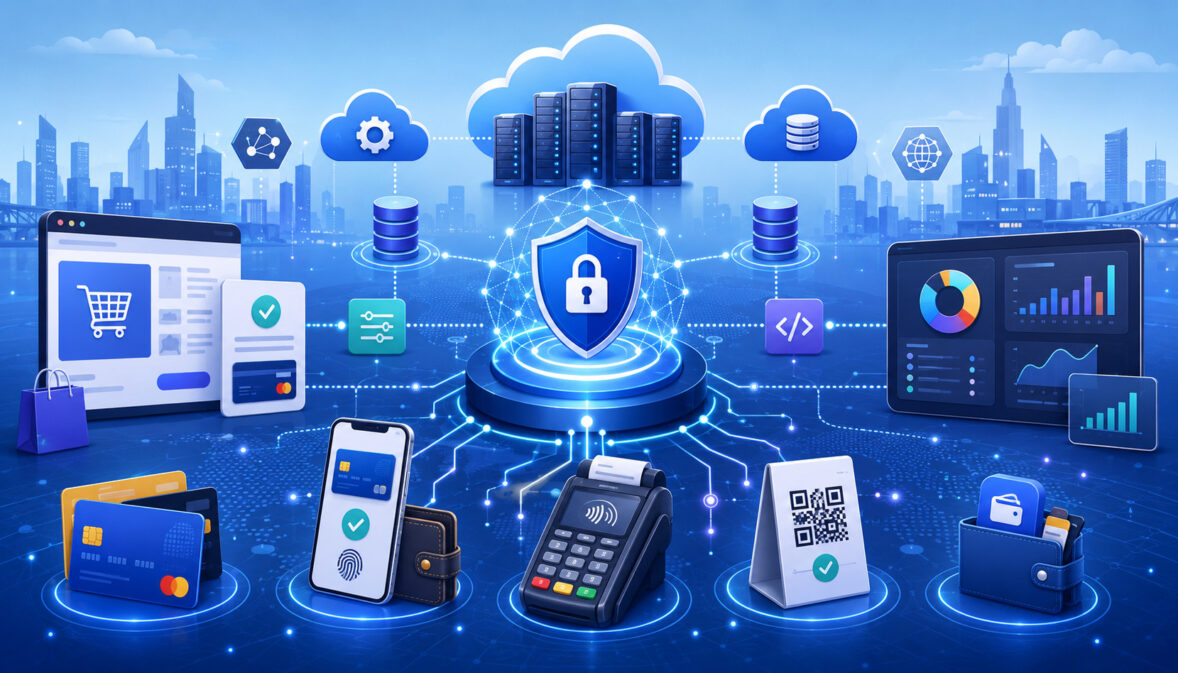
Building a scalable payment infrastructure is one of the most important operational steps a business can take as sales volume, customer expectations, and payment complexity increase. At the beginning, a business may only need a basic way to accept card payments.
As it grows, the same payment setup must support higher transaction volume, faster checkout, secure data handling, reliable settlement reporting, refunds, chargebacks, recurring billing, multiple sales channels, and accurate financial records.
A scalable payment infrastructure is not just a technical setup. It is the full system of tools, workflows, policies, reports, integrations, and controls that helps a business accept and manage payments without creating avoidable friction. It affects customer experience, cash flow visibility, accounting accuracy, fraud prevention, and day-to-day payment operations.
For small business owners, eCommerce sellers, SaaS teams, subscription businesses, retailers, restaurant operators, finance teams, and operations managers, payment infrastructure becomes more important as the business adds new locations, payment methods, products, sales channels, and customer types.
A weak setup may work during low volume, but it can create problems when order volume increases, disputes rise, settlement reports become harder to match, or customers expect faster and more flexible checkout options.
A strong payment foundation helps a business process transactions reliably, protect sensitive data, support multiple payment workflows, reduce manual work, and prepare for long-term growth.
What Scalable Payment Infrastructure Means
Scalable payment infrastructure means the payment systems, tools, workflows, integrations, policies, and controls that allow a business to accept, process, track, secure, reconcile, and manage payments as transaction volume grows.
It includes the payment gateway, payment processor, merchant account, POS system, online checkout, APIs, fraud prevention tools, settlement reporting, accounting connections, refund workflows, dispute management, and internal payment procedures.
Scalability is not only about processing more payments. A business also needs payment system scalability in reporting, reconciliation, customer support, security, and operational control. A payment setup that handles more transactions but creates confusing reports, failed recurring payments, delayed refunds, or poor chargeback records is not truly scalable.
For example, an online seller may start with a basic checkout page. As order volume grows, that seller may need fraud screening, payment routing, automated refunds, digital wallets, ACH payments, stored payment tokens, shipping confirmation records, accounting exports, and better failed payment tracking.
A restaurant may begin with one terminal, then need table payments, tip adjustments, online ordering, delivery payments, gift cards, staff permissions, and daily settlement review.
Scalable payment systems should help a business answer practical questions quickly: Which transactions were approved? Which were captured? Which deposits reached the bank? Which refunds were issued? Which chargebacks need a response? Which payment failures are increasing? Which channel is creating the most payment friction?
Why Payment Infrastructure Matters for Growing Businesses
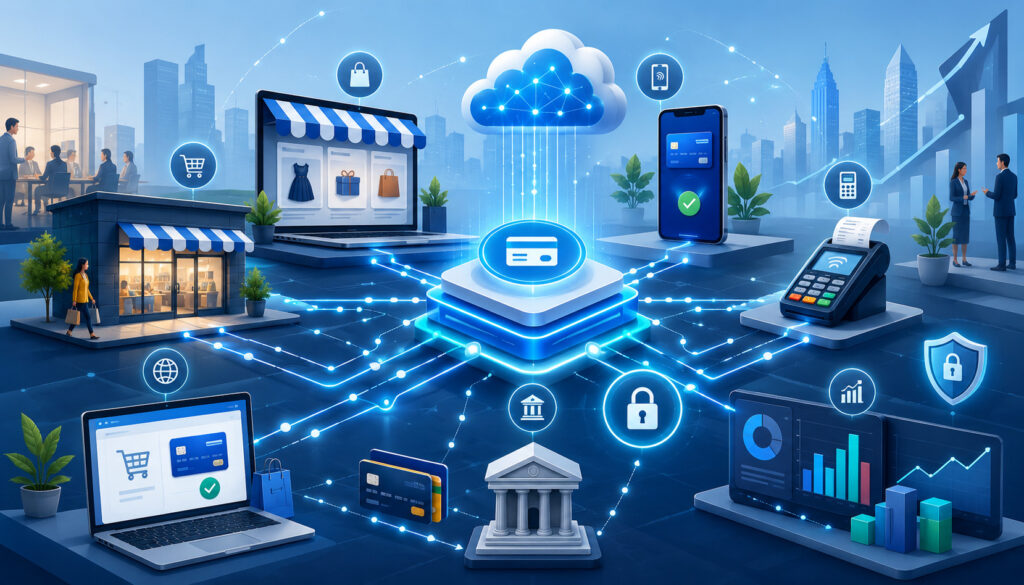
Payment infrastructure matters because payments touch nearly every part of a growing business. A customer may experience payment infrastructure as a checkout page, card reader, payment link, invoice, subscription billing screen, or mobile wallet option.
Behind that experience, the business depends on authorization, capture, settlement, reporting, risk controls, reconciliation, and customer support workflows.
Weak payment infrastructure can create problems that are expensive and frustrating. Failed transactions may cause lost sales. Checkout friction may increase cart abandonment. Delayed settlement visibility may make cash flow planning harder.
Refund confusion may create customer complaints. Manual reconciliation may consume finance team time. Missing transaction records may slow down accounting. Poor chargeback documentation may increase dispute losses.
Growing businesses also face more complexity. A retailer may add online sales. A restaurant may add delivery payments. A service business may add invoices and deposits. A SaaS company may add recurring billing, plan upgrades, trials, and failed payment retries. A marketplace may need split payments, seller onboarding, payout tracking, and risk monitoring.
Better payment processing infrastructure supports growth by improving reliability, reducing manual work, and making payment data easier to use. It can help teams see gross sales, net deposits, refunds, chargebacks, fees, batch timing, settlement reports, and failed payment trends more clearly.
A strong merchant payment infrastructure also improves customer trust. Customers expect payments to work smoothly, securely, and consistently. They want fast checkout, accurate receipts, familiar payment methods, and timely refund communication. When payment workflows are reliable, the business looks more professional and becomes easier to buy from.
Core Components of Payment Processing Infrastructure
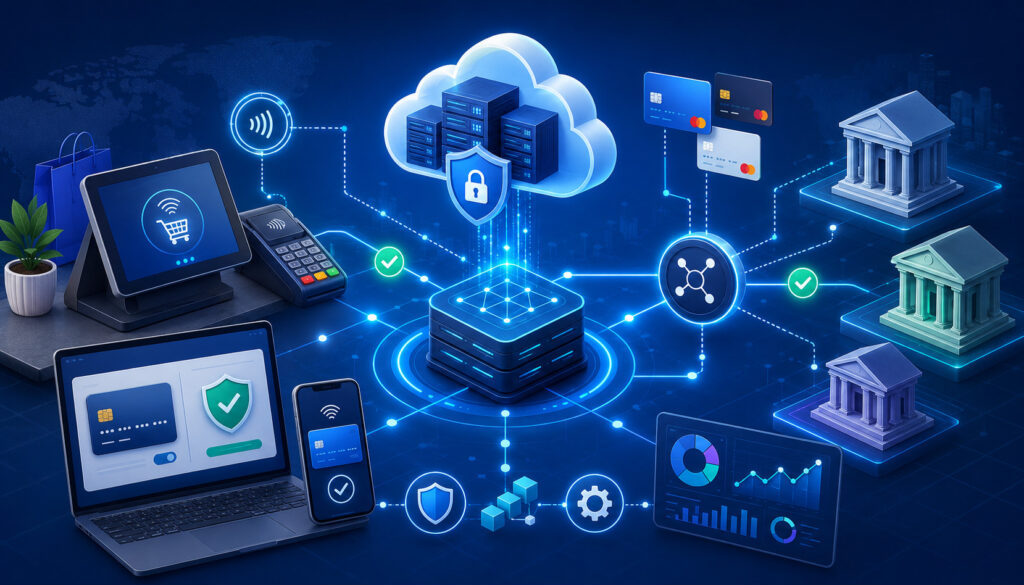
Payment processing infrastructure is made up of several connected components. Some components handle data movement. Some support authorization and settlement.
Some help the business manage in-person payments, online payments, subscriptions, invoices, refunds, and reports. Others focus on fraud prevention, payment security, compliance, and operational control.
A scalable payment infrastructure should not be built around one isolated tool. It should be designed as a connected payment technology stack. Each part should support the others, and each payment workflow should be documented so the business knows what happens from the moment a customer pays to the moment funds are reconciled.
Payment Gateway
A payment gateway securely transmits payment data between the customer-facing payment environment and the payment processing system. In an eCommerce payment infrastructure, the gateway may connect the checkout page to the processor.
In invoice payments, it may support payment links or hosted payment pages. In some POS environments, gateway technology may also help connect terminals, virtual terminals, and back-office systems.
The gateway plays an important role in secure data transmission. It may support encryption, tokenization, payment forms, digital wallets, recurring billing tokens, fraud filters, and authorization requests. The gateway can also return approval, decline, or error messages to the checkout experience.
For scalability, the payment gateway infrastructure should support reliable uptime, fast response times, clear error reporting, refund tools, transaction search, API integration, and reporting exports. If a gateway becomes slow, unreliable, or difficult to integrate, it can affect sales, customer experience, and payment operations.
Payment Processor
A payment processor helps route transactions between the business, acquiring side, card networks, issuing side, and related payment systems.
The processor supports authorization, capture, settlement, reporting, risk controls, and transaction processing. While the customer may never see the processor directly, it is a core part of the payment processing system.
When a customer makes a card payment, the processor helps send the authorization request and return the response. Later, it supports clearing, settlement, and merchant funding. Depending on the setup, the processor may also provide reports, batch data, decline codes, chargeback tools, fraud controls, and merchant account support.
For growing businesses, processor capabilities matter. A scalable processor relationship should support expected transaction volume, average ticket size, payment methods, chargeback monitoring, settlement visibility, and clear reporting. Businesses should also understand processing limits, risk thresholds, and how volume changes should be communicated.
Merchant Account
A merchant account also depends on business type, expected processing volume, transaction risk, documentation, and settlement needs. Businesses preparing to scale payment volume can review how merchant accounts get approved to better understand the approval process before payment activity increases.
A merchant account helps connect card payment acceptance with funding. It may be associated with underwriting, transaction limits, settlement schedules, reserves, chargeback monitoring, and reporting.
For a growing business, merchant account readiness is important because sudden increases in volume, ticket size, refund activity, or dispute activity may trigger review.
A scalable merchant account setup should match the business model. Subscription billing, eCommerce sales, high average tickets, delayed delivery, multi-location operations, or seasonal spikes may require more careful review.
Businesses should keep payment records, policies, refund procedures, and fulfillment information organized so payment operations remain stable.
POS and eCommerce Checkout Systems
POS and eCommerce checkout systems are the customer-facing parts of payment infrastructure. A POS system supports in-person payments through terminals, card readers, cash drawers, barcode scanners, receipt printers, inventory tools, staff permissions, and sales reports.
An eCommerce checkout supports online cart payments, payment forms, digital wallets, shipping details, tax calculations, order records, and confirmation messages.
These systems must connect properly to the broader payment architecture. In-store payments should flow into batch reports and settlement records.
Online payments should connect with order management, fraud screening, inventory, refunds, and accounting records. If POS and eCommerce systems are disconnected, teams may struggle to reconcile deposits, identify refunds, or understand cross-channel sales.
A scalable omnichannel payment infrastructure should make it easier to compare sales by channel, customer, location, payment method, and settlement batch. It should also support consistent refund policies, customer receipts, and reporting rules.
Payment APIs and Integrations
Payment APIs and integrations connect payments with websites, apps, accounting tools, ERP systems, inventory platforms, CRM systems, dashboards, subscription platforms, and reporting workflows. They allow payment data to move between systems without requiring staff to re-enter every detail manually.
API integration is especially important for SaaS companies, marketplaces, subscription businesses, and high-volume eCommerce operations. These businesses may need to create customers, store payment tokens, process recurring billing, update subscriptions, issue refunds, retrieve settlement reports, trigger payment retries, or send customer notifications automatically.
For scalability, APIs should be reliable, well-documented, monitored, and tested. Businesses should understand API rate limits, error handling, webhook behavior, retry rules, and data mapping. Poor integration design can create duplicate charges, missed invoices, incorrect customer records, and reconciliation problems.
Fraud Prevention and Risk Controls
Fraud prevention and risk controls help businesses identify suspicious activity before it becomes a larger problem. These controls may include fraud filters, transaction monitoring, velocity checks, AVS, CVV, device signals, authentication tools, tokenization, manual review queues, refund monitoring, and chargeback tracking.
Risk controls should match the business model. An eCommerce seller may need stronger card-not-present screening than a small in-person retailer. A subscription business may need account takeover monitoring and failed payment controls. A marketplace may need seller risk review, payout controls, and unusual transaction monitoring.
Scalable fraud prevention should not block legitimate customers unnecessarily. Rules that are too loose may allow more fraud. Rules that are too strict may increase false declines. Businesses should review fraud data, failed transactions, chargebacks, and customer service feedback to improve controls over time.
Payment Infrastructure Component Table
The table below summarizes key parts of scalable payment infrastructure and how each supports business growth.
| Component | What It Does | Why It Matters | Common Risks | Scalability Considerations |
| Payment gateway | Securely sends payment data between checkout and processing systems | Supports online payments, payment forms, digital wallets, tokens, and authorization | Gateway outages, poor error messages, weak integration, slow checkout | Uptime, API quality, fraud tools, reporting, token support |
| Payment processor | Routes authorization, capture, settlement, and transaction processing | Helps payments move through the processing flow | Limited reporting, unclear limits, settlement delays, risk reviews | Volume capacity, payment method support, reporting depth |
| Merchant account | Supports card payment acceptance and funding | Helps connect approved payments to business deposits | Holds, reserves, chargeback exposure, volume mismatches | Processing limits, funding schedule, risk profile alignment |
| POS system | Accepts in-person payments and records sales | Supports stores, restaurants, staff controls, receipts, and reports | Batch errors, staff misuse, device downtime | Multi-location reporting, permissions, terminal redundancy |
| eCommerce checkout | Accepts online payments | Affects conversion, fraud risk, customer trust, and order records | Checkout friction, failed payments, cart abandonment | Speed, payment methods, fraud tools, mobile optimization |
| APIs and integrations | Connect payments to business systems | Reduces manual entry and supports automation | Data mapping errors, duplicate records, failed webhooks | Rate limits, monitoring, error handling, documentation |
| Fraud tools | Screens suspicious activity | Helps reduce fraud losses and chargeback risk | False declines, missed patterns, weak review process | Rule tuning, analytics, manual review workflow |
| Reconciliation reports | Match payments, refunds, fees, deposits, and accounting records | Improves cash flow visibility and financial accuracy | Manual mistakes, missing fees, unmatched deposits | Automated exports, daily review, accounting integration |
A payment architecture becomes more scalable when each component is selected and configured with future volume, reporting needs, security responsibilities, and operational workflows in mind.
How Payment Authorization, Capture, and Settlement Fit Together
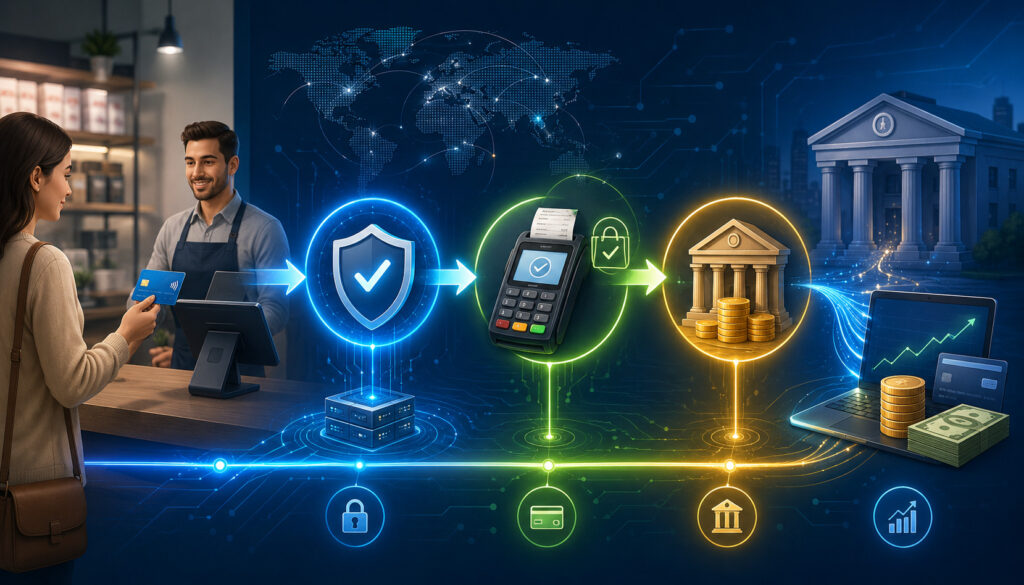
Understanding how payment approval, payment capture, batch processing, clearing, settlement, and merchant funding connect is important because an approved payment does not always mean funds have reached the business account. For a deeper breakdown, this guide on credit card transaction flow explains how card payments move from checkout to funding.
The payment lifecycle is easier to manage when teams understand the difference between authorization, capture, settlement, funding, refunds, voids, reversals, and settlement reports.
Many payment problems come from assuming that an approved payment means money has already reached the business. In reality, approval is only one stage in the transaction processing flow.
At checkout, authorization confirms whether a transaction can move forward. Capture prepares the approved transaction for settlement. Settlement and funding move the transaction toward deposit.
Refunds and chargebacks may later adjust the financial result. Settlement reports help the business understand what happened and why deposits may not match gross sales.
Authorization
Authorization is the stage where the payment system asks whether a card or payment method can be used for the transaction. The request may include the transaction amount, merchant details, card data or token, billing information, CVV result, AVS result, device information, and fraud signals.
An approved authorization does not always mean funds have reached the merchant. It means the transaction request has been approved to proceed. The customer may see a pending transaction, but the merchant still needs capture and settlement before funding occurs.
Authorization matters for customer experience and risk control. If authorization failures increase, the business should review decline reasons, checkout errors, fraud filters, billing data quality, and payment method availability. This is especially important for recurring billing, where failed authorizations can affect subscription revenue.
Capture
Capture is the step that tells the payment system the merchant intends to finalize an approved transaction. In many retail transactions, authorization and capture happen close together.
In some eCommerce models, the business may authorize at order placement and capture when the order is ready to ship. Restaurants may adjust a transaction for the final tip amount before capture.
Delayed capture can be useful when the business needs to confirm inventory, shipping, service completion, or final transaction amount. However, delayed capture also needs monitoring. Authorized but uncaptured transactions can cause missed revenue, customer confusion, or expired authorizations.
For scalability, businesses should document capture rules. Teams should know when capture is automatic, when it is manual, who can capture transactions, how partial capture works, and how to review uncaptured transactions.
Settlement and Funding
Settlement is the process that helps finalize transaction details and move funds through the payment ecosystem. Funding is when the business receives the deposit into its bank account. The deposit may be net of fees, refunds, chargebacks, reserves, or adjustments.
Settlement timing affects cash flow planning. Businesses should understand batch close times, funding schedules, weekend timing, bank holidays, settlement reports, and how refunds or chargebacks affect deposits. Finance teams should not rely only on bank deposits because deposits may combine multiple batches or exclude fees billed separately.
Settlement reports are essential for reconciliation. They help match transaction totals, refunds, chargebacks, fees, and deposits to POS reports, gateway reports, accounting records, and bank statements.
Building Payment Infrastructure for Multiple Sales Channels
Many businesses no longer accept payments through only one channel. A retailer may sell in-store and online. A restaurant may accept table payments, delivery payments, online orders, and gift cards.
A service business may use invoices, deposits, mobile card readers, and payment links. A subscription company may accept recurring card payments, ACH payments, upgrades, downgrades, and add-ons.
Omnichannel payment infrastructure should create consistency across these channels. It should support secure payment handling, unified reporting, clear refund rules, cross-channel customer records, and reliable settlement tracking. Without a connected system, teams may have to combine reports manually from POS, eCommerce, invoice, and mobile systems.
In-Store Payment Infrastructure
In-store payment infrastructure includes POS terminals, card readers, contactless payment devices, cash drawers, receipt systems, staff permissions, batch settlement tools, and local network reliability. For stores and restaurants, the in-person payment experience must be fast and dependable because checkout delays directly affect customers and staff.
A scalable in-store setup should support chip cards, contactless cards, mobile payments, refunds, voids, tips where needed, staff logins, manager approvals, and end-of-day reporting. Businesses should also plan for device failure, connectivity issues, and staff training.
Permissions are especially important. Not every employee should have the ability to issue refunds, change transaction records, access settlement reports, or adjust batches. Strong controls reduce internal errors and protect payment operations.
Online Payment Infrastructure
Online payment infrastructure includes checkout pages, payment gateways, payment forms, digital wallets, fraud screening, order management, confirmation emails, refund tools, and reporting. The checkout experience should be fast, secure, mobile-friendly, and easy to complete.
A scalable eCommerce payment infrastructure should support multiple payment methods, clear error messages, fraud controls, payment capture rules, refund workflows, shipping confirmation, and order reconciliation. It should also allow teams to review failed transactions, abandoned checkouts, duplicate attempts, and suspicious orders.
Online payments carry higher card-not-present risk, so fraud screening is important. However, fraud tools should be balanced carefully. Overly aggressive filters can block legitimate customers and reduce sales.
Subscription and Recurring Payment Infrastructure
Subscription payment infrastructure has different needs because payments repeat over time. It usually requires tokenization, stored payment credentials, recurring billing schedules, plan changes, payment retries, failed payment workflows, cancellation handling, and customer communication.
Recurring billing can improve revenue predictability, but it also creates operational complexity. Cards expire, accounts change, customers update plans, payment attempts fail, and customers may dispute charges they do not recognize.
A scalable subscription payment infrastructure should include dunning workflows, retry logic, payment update reminders, clear billing descriptors, and support records.
Businesses should track recurring billing metrics such as failed payment rate, recovery rate, churn related to payment failures, refund rate, chargeback rate, and average time to payment recovery.
Mobile and Invoice-Based Payments
Mobile and invoice-based payments help service businesses, contractors, field teams, consultants, and flexible sellers accept payments away from a fixed checkout counter. These workflows may include payment links, QR codes, mobile card readers, invoice payments, deposits, card-on-file tools, and remote payment forms.
A scalable setup should make mobile and invoice payments easy to track. Each payment should connect to the correct customer, invoice, job, order, or location. Otherwise, finance teams may struggle to reconcile deposits or identify what a payment was for.
Mobile and invoice workflows should also follow secure payment practices. Businesses should avoid collecting card details through unsecured messages or documents. Hosted payment forms, secure links, and tokenized card-on-file tools are safer options.
Payment Security and Compliance Considerations
Secure payment infrastructure is essential because payment systems handle sensitive customer and transaction data. Businesses should understand security responsibilities, vendor roles, internal access controls, and payment compliance requirements. This section is educational and should not be treated as legal, tax, or security advice.
Payment security may include encryption, tokenization, secure checkout forms, PCI compliance responsibilities, access controls, password practices, audit trails, vendor due diligence, data minimization, fraud monitoring, and secure integrations.
The official payment security standards resource explains that payment security standards are designed to support safe handling of payment account data.
Tokenization and Encryption
For businesses that use recurring billing, subscriptions, card-on-file payments, or stored payment credentials, tokenization can help reduce sensitive data exposure. The official tokenization guidance provides useful background on how tokenization works in payment environments.
Tokenization and encryption are two important methods for protecting payment data. Encryption makes sensitive information unreadable during transmission or storage unless the proper keys are used. Tokenization replaces sensitive payment data with a token that can be used for certain payment functions without exposing the original card number.
Tokenization is especially useful for recurring billing, card-on-file payments, refunds, and customer accounts. A business can charge a stored payment method through a secure token rather than storing raw card details in its own systems.
The official tokenization guidance from the payment security standards body describes tokenization as a supplemental security approach that can affect payment data exposure and compliance scope.
Encryption and tokenization should be implemented through qualified payment tools and reviewed with appropriate professionals. Businesses should avoid building custom payment data storage unless they have the expertise, controls, and validation needed.
PCI Compliance Basics
PCI compliance refers to payment card data security requirements that apply to businesses involved in storing, processing, or transmitting cardholder data. The exact responsibilities may vary depending on how a business accepts payments, what systems it uses, and whether sensitive data touches its environment.
A small business using hosted payment pages may have different responsibilities than a business storing payment data in custom systems. A restaurant using validated terminals may have different needs than a marketplace with complex payment APIs.
Businesses should know who manages each part of the payment environment. They should ask vendors about hosted checkout, tokenization, encryption, secure forms, compliance documentation, and security responsibilities. Internal teams should also maintain access controls, secure passwords, staff training, and audit records.
User Permissions and Access Controls
User permissions and access controls help prevent mistakes, misuse, and unauthorized activity. Payment systems often allow users to issue refunds, void transactions, view reports, export data, adjust batches, manage customers, or change payment settings. These actions should be limited based on job role.
A scalable payment operation should use role-based access. Cashiers may only need to accept payments and issue receipts. Managers may need refund approval rights. Finance teams may need settlement reports and reconciliation exports. Developers may need API credentials but should not share them through unsecured channels.
Access should also be reviewed when employees change roles or leave the business. Audit trails can help teams see who issued refunds, changed settings, accessed reports, or adjusted transactions.
Fraud Prevention and Chargeback Management
Scalable payment systems should include fraud prevention and dispute management workflows. Fraud, refunds, and chargebacks may be manageable at low volume, but they can become major operational problems as sales increase.
Businesses need clear rules for reviewing suspicious transactions, handling customer complaints, documenting orders, and responding to disputes.
Fraud prevention may include suspicious transaction monitoring, AVS checks, CVV checks, velocity controls, duplicate order detection, device signals, authentication tools, manual review queues, and refund monitoring.
Chargeback management may include billing descriptor clarity, delivery confirmation, customer communication records, refund policies, receipts, order notes, and dispute response documentation.
Fraud Screening Tools
Fraud screening tools help identify unusual transaction behavior before an order is accepted or fulfilled. These tools may review mismatched billing details, repeated failed attempts, high-risk order patterns, unusual shipping addresses, duplicate transactions, large order amounts, rapid purchases, or suspicious account behavior.
Fraud tools should be configured carefully. A business selling digital products may need different rules than a local retailer. A subscription platform may need to monitor account changes and repeated failed billing attempts. A high-ticket eCommerce seller may need more manual review before shipment.
Fraud screening should not be fully ignored after setup. Teams should review false declines, confirmed fraud, chargeback reasons, refund abuse, and customer service complaints to tune rules over time.
Chargeback Prevention Workflows
Chargeback prevention starts before a dispute occurs. Clear product descriptions, accurate pricing, visible refund policies, recognizable billing descriptors, delivery tracking, order confirmation emails, and responsive customer service can reduce confusion.
Businesses should document fulfillment and communication. For shipped goods, tracking and delivery confirmation can be helpful.
For services, signed agreements, work records, appointment confirmations, and completion notes may support dispute responses. For subscriptions, cancellation policies and billing reminders can reduce avoidable disputes.
A scalable chargeback workflow should assign responsibility. Teams should know who reviews alerts, who gathers documents, who decides whether to fight or accept a dispute, and how results are recorded.
Payment Reliability, Uptime, and Redundancy
Payment reliability becomes more important as transaction volume grows. A brief outage during low volume may be inconvenient. The same outage during a busy period can cause lost sales, long lines, customer frustration, and support issues.
Scalable payment infrastructure should include uptime planning, backup workflows, monitoring, alerts, and incident response procedures.
Reliability depends on multiple parts: gateway performance, processor availability, POS connectivity, internet service, API reliability, checkout speed, fraud tool behavior, device health, and staff procedures.
A payment failure may come from a processor issue, gateway timeout, checkout bug, expired card, overly strict fraud rule, network outage, or customer error.
Planning for Payment Downtime
Businesses should have backup procedures for temporary payment outages. In-store businesses may need backup terminals, mobile readers, offline procedures where appropriate, alternative payment methods, or clear staff instructions. Online businesses may need monitoring alerts, status messaging, retry behavior, and support scripts.
Downtime planning should include customer communication. Staff should know what to say if a terminal is not working, a payment link fails, or an online checkout returns errors. Clear communication can reduce frustration and protect customer trust.
A backup plan should be tested. A written policy is not enough if staff do not know how to use it during a busy shift.
Monitoring Failed Transactions
Failed transaction monitoring helps businesses identify payment problems early. A failed payment may result from insufficient funds, expired cards, incorrect billing details, fraud filters, gateway errors, processor declines, API issues, or checkout friction.
A scalable payment operation should review failed payment reports by reason, channel, location, payment method, and customer segment. Subscription businesses should track failed recurring billing attempts. eCommerce teams should review checkout errors and payment abandonment. Retailers should monitor terminal declines and device issues.
Not every failed payment can be prevented, but tracking patterns helps the business improve payment workflows and reduce avoidable failures.
Payment Reconciliation and Reporting
Payment reconciliation is the process of matching transactions, refunds, chargebacks, fees, settlement batches, deposits, accounting records, POS data, gateway reports, and bank statements. It is one of the most important parts of scalable payment infrastructure because financial accuracy depends on it.
As transaction volume grows, manual reconciliation becomes harder. Deposits may not match gross sales because of fees, refunds, chargebacks, batch timing, tips, reserves, adjustments, or delayed settlement. Multiple locations, payment methods, and sales channels add more complexity.
Matching Transactions to Deposits
Deposits often differ from gross sales totals. A business may process a large amount in card payments, but the bank deposit may be lower because fees, refunds, chargebacks, or adjustments were deducted. In other setups, fees may be billed separately, causing the deposit to look closer to gross sales.
Batch timing can also create differences. Transactions captured after a cutoff may appear in a later settlement group. Tips, partial captures, voids, and refund timing can also affect reports. Finance teams should compare settlement reports, POS reports, gateway data, merchant statements, and bank deposits.
A consistent daily or weekly reconciliation process helps teams identify issues early instead of waiting until month-end.
Accounting and ERP Integrations
Accounting and ERP integrations can reduce manual entry and help finance teams connect payments with invoices, sales, inventory, customer records, and financial statements. A scalable payment technology stack should support clean data exports or direct integrations where appropriate.
Good integrations require accurate mapping. Payment methods, fees, refunds, taxes, tips, discounts, chargebacks, and deposits should be categorized correctly. Poor mapping can create inaccurate financial reports even if payments are processed successfully.
Businesses should still review automated entries. Payment automation reduces manual work, but exceptions, refunds, chargebacks, and unusual adjustments often need human review.
Payment Automation for Growing Businesses
Payment automation helps businesses reduce repetitive work and manage more volume without adding unnecessary manual tasks. It can support recurring billing, payment retries, invoice reminders, settlement report exports, refund workflows, fraud alerts, reconciliation files, customer notifications, and subscription updates.
Automation is especially useful when payment workflows happen repeatedly. A subscription business may automatically bill customers, retry failed payments, send update reminders, and pause accounts after repeated failure.
A service business may send invoice reminders and payment links. An eCommerce business may automate refund status notifications and settlement exports.
However, automation should not replace oversight. Businesses still need exception handling, manual review queues, dispute review, refund approvals, failed payment monitoring, and reconciliation checks. Automation works best when rules are documented and reviewed regularly.
Scalability Planning for Higher Transaction Volume
Scalability planning means preparing payment infrastructure for more transactions, more customers, more sales channels, more payment methods, more reporting needs, and more operational complexity.
Businesses should not wait until volume increases to review payment limits, gateway performance, API rate limits, fraud review queues, customer support capacity, and settlement visibility.
A business may face higher volume because of advertising campaigns, seasonal demand, product launches, multi-location expansion, subscription growth, or marketplace activity. Each growth pattern creates different payment needs.
Forecasting Payment Volume
Forecasting payment volume helps businesses estimate future payment infrastructure needs. Teams can review sales trends, average ticket size, seasonal patterns, marketing campaigns, product launches, expansion plans, and new sales channels.
Forecasting should include transaction count, dollar volume, refund volume, chargeback risk, failed payment rates, and support workload. A business with many small transactions may need different reporting and API capacity than one with fewer high-value transactions.
Payment forecasts should be shared with finance, operations, customer support, and technical teams so each group can prepare.
Reviewing Processing Limits
Businesses should understand processing limits, average ticket expectations, monthly volume expectations, refund patterns, and risk thresholds. Sudden changes in volume or transaction size may create review questions if they do not match the account profile.
Reviewing limits is especially important before major promotions, expansion, product launches, or seasonal peaks. Businesses should also keep documentation updated, including refund policies, fulfillment timelines, product descriptions, and customer service procedures.
A scalable merchant account setup should reflect the business’s real payment activity.
Preparing for Seasonal Spikes
Seasonal spikes can create pressure on checkout systems, fraud tools, support teams, inventory workflows, and settlement review. Businesses should test checkout flows, confirm payment method availability, review fraud settings, train staff, and prepare refund and dispute procedures before peak periods.
Online businesses should monitor gateway errors, cart abandonment, failed payments, and suspicious order patterns. In-person businesses should test terminals, confirm backup devices, and review end-of-day batch procedures.
Seasonal planning should include post-peak reconciliation. High-volume periods often create more refunds, exchanges, chargebacks, and customer support questions.
Scalable Payment Infrastructure Checklist
| Checklist Item | Why It Matters | Review Question |
| Payment gateway setup | Supports secure payment data transmission | Does the gateway support current and future channels? |
| Processor review | Supports transaction routing and settlement | Are volume needs, ticket size, and reporting requirements aligned? |
| Merchant account readiness | Supports card acceptance and funding | Do processing limits match expected growth? |
| POS integration | Connects in-person sales to reports | Are sales, refunds, tips, and batches easy to reconcile? |
| eCommerce checkout | Supports online conversion and security | Is checkout fast, secure, and mobile-friendly? |
| API integrations | Connect payments with business systems | Are errors, webhooks, and rate limits monitored? |
| Fraud tools | Helps identify suspicious activity | Are rules reviewed for both fraud and false declines? |
| PCI responsibilities | Supports secure card data handling | Are responsibilities understood and documented? |
| Tokenization | Reduces sensitive data exposure | Are stored payment methods tokenized? |
| Refund workflow | Keeps customer service and accounting aligned | Who can issue refunds and how are they recorded? |
| Chargeback workflow | Supports dispute response | Are documents, timelines, and responsibilities clear? |
| Settlement reporting | Improves cash flow visibility | Can deposits be matched to batches and transactions? |
| Reconciliation process | Supports financial accuracy | Is reconciliation done consistently? |
| Accounting integration | Reduces manual entry | Are fees, refunds, and deposits mapped correctly? |
| Backup payment plan | Reduces outage impact | What happens if a terminal, gateway, or connection fails? |
| Payment analytics | Helps improve operations | Are failures, disputes, refunds, and channel trends reviewed? |
Common Mistakes When Building Payment Infrastructure
A common mistake is choosing payment tools only for current needs. A business may start with a basic setup that works at low volume but becomes difficult to manage when transaction count, channels, or reporting needs increase. Payment infrastructure should be selected with future workflows in mind.
Another mistake is ignoring reconciliation. If teams cannot match transactions to deposits, they may lose time investigating reports, bank feeds, refunds, fees, and chargebacks. Reconciliation should be built into the payment workflow early.
Businesses also make mistakes by relying too heavily on manual reporting, skipping security reviews, not planning for chargebacks, failing to test checkout flows, ignoring failed payment data, using disconnected systems, not training staff, and lacking backup payment procedures.
Payment Infrastructure for Different Business Models
Different business models need different payment workflows. A scalable payment infrastructure should match how the business sells, bills, fulfills, refunds, and reports revenue. The same payment architecture will not work equally well for every business.
Retail Stores
Retail stores need reliable POS terminals, inventory-linked transactions, refund workflows, sales reporting, customer receipts, and settlement visibility. They may also need barcode scanning, gift cards, loyalty tools, exchanges, staff permissions, and multi-register support.
Retail payment infrastructure should make it easy to process fast in-store payments while keeping records accurate. Refunds should connect to original transactions where possible. Settlement reports should help finance teams compare POS sales, refunds, fees, and deposits.
Restaurants and Food Businesses
Restaurants and food businesses may need tip adjustments, split payments, tabs, table payments, online ordering, delivery payments, gift cards, and fast settlement reporting. Payment workflows can be more complex because the final amount may change after authorization.
A scalable restaurant payment system should support staff permissions, tip reporting, batch procedures, voids, refunds, and order-level records. Online ordering and delivery payments should also connect to reporting so finance teams can review sales by channel.
eCommerce Businesses
eCommerce businesses need secure checkout, payment gateway reliability, fraud screening, refund workflows, shipping confirmation, order reconciliation, and customer communication. Online sellers should pay close attention to card-not-present risk, failed payment data, and checkout friction.
A scalable eCommerce payment infrastructure should support digital wallets, alternative payment methods, authorization and capture rules, refund tracking, chargeback documentation, and accounting exports.
SaaS and Subscription Businesses
SaaS and subscription businesses need recurring billing, stored payment tokens, payment retries, dunning workflows, plan changes, proration rules, cancellation handling, and churn-related payment reporting. Failed payment recovery is especially important because billing continues over time.
Subscription payment infrastructure should help teams manage trials, upgrades, downgrades, renewal notices, invoices, receipts, card updates, and customer communications. Payment analytics should track recurring revenue impact from failed payments and disputes.
Service Businesses
Service businesses may need invoices, payment links, deposits, mobile payments, card-on-file tools, and flexible payment records. The payment must often connect to a job, appointment, project, contract, or customer account.
A scalable service payment setup should make it easy to track partial payments, deposits, balances, refunds, and completed payments. Mobile and invoice-based workflows should still be secure and easy to reconcile.
Multi-Location Businesses
Multi-location businesses need centralized reporting, location-level permissions, consistent settlement tracking, standardized refund policies, and location-specific performance data. Without centralized payment operations, each location may follow different procedures, creating reporting and compliance gaps.
A scalable multi-location payment infrastructure should allow leaders to compare sales, refunds, chargebacks, deposits, and payment methods by location. Permissions should balance local flexibility with central control.
How to Evaluate Payment Infrastructure Tools
Pricing should also be reviewed carefully because scalable payment infrastructure may involve transaction fees, gateway fees, monthly fees, chargeback fees, equipment costs, and statement line items. Businesses comparing pricing structures can use this guide on interchange-plus pricing to understand how transparent pricing models may affect payment costs.
When evaluating payment infrastructure tools, businesses should look beyond basic transaction acceptance. The right setup should support integration, security, reporting, payment method flexibility, settlement visibility, fraud management, uptime, scalability, support quality, cost clarity, reconciliation, and data access.
Important evaluation areas include:
- Ease of integration with POS, website, accounting, ERP, CRM, and reporting tools
- Support for card payments, ACH payments, digital wallets, mobile payments, invoices, and recurring billing
- Security features such as encryption, tokenization, secure checkout, permissions, and audit trails
- Reporting depth for transactions, refunds, chargebacks, fees, batches, and deposits
- Fraud prevention tools and review workflows
- Clear settlement reporting and funding visibility
- API documentation, webhook reliability, and error handling
- Uptime history, monitoring options, and incident communication
- Data ownership, export options, and reconciliation support
- Cost structure, including transaction fees, gateway fees, monthly fees, chargeback fees, and hardware costs
Businesses should test tools before relying on them at scale. Test checkout flows, refunds, voids, failed payments, receipts, settlement reports, user permissions, and accounting exports. A tool that looks simple during setup may create problems if reporting is limited or integrations are difficult.
Best Practices for Building Scalable Payment Systems
Building scalable payment systems requires a combination of technology, documentation, training, and review. Businesses should begin by mapping the full payment workflow from checkout to deposit. That map should include authorization, capture, settlement, funding, refunds, chargebacks, failed payments, reports, and accounting entries.
Best practices include:
- Map every payment workflow by channel
- Test checkout regularly on desktop and mobile
- Use secure payment forms and tokenization where appropriate
- Track failed transactions and decline patterns
- Review settlement reports consistently
- Document refund and void procedures
- Monitor chargebacks and dispute reasons
- Train staff on permissions and payment policies
- Review processing limits before volume spikes
- Connect payments with accounting where practical
- Keep backup procedures for outages
- Review fraud filters and false declines
- Maintain clean customer communication records
- Update payment infrastructure as the business grows
FAQs
What does building a scalable payment infrastructure mean?
Building a scalable payment infrastructure means creating payment systems and workflows that can support growth without breaking down under higher volume or complexity.
It includes payment gateways, processors, merchant accounts, POS systems, checkout pages, APIs, fraud tools, reconciliation reports, refund workflows, chargeback management, and payment security controls.
It also means preparing the business for more locations, more payment methods, more customers, more refunds, more reporting needs, and more operational oversight. A scalable setup should help teams process payments reliably, track money accurately, protect customer data, and manage exceptions.
Why is payment infrastructure important for growing businesses?
Payment infrastructure is important because payment problems directly affect revenue, customer trust, and financial accuracy. If payments fail, customers may abandon purchases. If reports are unclear, finance teams may struggle to match deposits. If refund and chargeback records are weak, customer service and dispute management become harder.
Growing businesses need reliable payment infrastructure to support cash flow visibility, checkout reliability, secure payment handling, and operational efficiency. The stronger the payment foundation, the easier it becomes to manage higher volume and more complex workflows.
What are the main components of payment processing infrastructure?
The main components include the payment gateway, payment processor, merchant account, POS system, online checkout, payment APIs, fraud prevention tools, security controls, settlement reports, reconciliation workflows, and accounting integrations.
Each component plays a different role. The gateway securely transmits payment data. The processor routes transactions. The merchant account supports settlement and funding. POS and checkout systems handle customer-facing payments. Integrations connect payment data to the rest of the business.
How does a payment gateway fit into payment infrastructure?
A payment gateway helps securely transmit payment data from the checkout environment to the payment processing system. It may support online payment forms, invoice payments, recurring billing tokens, digital wallets, fraud filters, and transaction reporting.
The gateway is especially important for eCommerce payment infrastructure and subscription payment infrastructure. If the gateway is unreliable, difficult to integrate, or limited in reporting, it can affect checkout experience, payment automation, reconciliation, and customer support.
What is the difference between a payment processor and a payment gateway?
A payment gateway securely collects and sends payment data from the customer-facing payment environment. A payment processor helps route transaction messages for authorization, capture, settlement, and funding.
In some payment setups, one provider may package these functions together, but the roles are still different. The gateway focuses on secure data transmission and checkout connectivity. The processor focuses on routing, transaction processing, settlement support, and payment operations.
How can businesses make payment systems more scalable?
Businesses can make payment systems more scalable by mapping payment workflows, using secure payment tools, connecting payment data with accounting systems, monitoring failed transactions, reviewing settlement reports, documenting refund rules, managing chargebacks, and preparing for higher volume.
They should also review API performance, gateway reliability, processing limits, fraud tools, user permissions, and backup payment procedures. Scalability improves when technology, reporting, security, and staff procedures work together.
Why does payment reconciliation matter?
Payment reconciliation matters because deposits often do not match gross sales exactly. Fees, refunds, chargebacks, batch timing, tips, adjustments, reserves, and delayed settlement can all affect deposit amounts.
Reconciliation helps finance teams explain those differences and keep accounting records accurate. It also helps identify missing batches, duplicate refunds, unusual fees, chargeback deductions, and reporting errors.
How can payment infrastructure help reduce failed transactions?
Payment infrastructure can help reduce avoidable failed transactions by improving checkout design, supporting multiple payment methods, tracking decline reasons, using updated payment tokens for recurring billing, monitoring gateway errors, and tuning fraud filters.
It cannot prevent every decline or payment failure. Some failures happen because of issuer decisions, insufficient funds, expired cards, customer mistakes, or risk controls. However, better monitoring helps businesses find patterns and improve workflows.
What security features should payment infrastructure include?
Payment infrastructure should include secure payment forms, encryption, tokenization, access controls, user permissions, audit trails, password practices, fraud monitoring, and appropriate PCI compliance processes. Businesses should also reduce unnecessary storage of sensitive payment data.
Security should be reviewed as the business grows. Adding new channels, integrations, locations, or billing models can change payment risk and responsibilities.
How do subscriptions affect payment infrastructure?
Subscriptions add recurring billing needs. Businesses may need stored payment tokens, billing schedules, payment retries, dunning workflows, plan changes, cancellation handling, customer notices, and failed payment reporting.
Subscription businesses should pay close attention to payment failure recovery, customer communication, billing descriptors, chargebacks, and churn related to payment issues. Recurring billing works best when automation is combined with clear exception handling.
What mistakes should businesses avoid when building payment systems?
Businesses should avoid choosing tools only for current needs, ignoring reconciliation, relying on manual reports, skipping security reviews, failing to test checkout, not monitoring failed payments, using disconnected systems, and not training staff.
They should also avoid assuming that payment approval means money has already reached the bank. Teams need to understand authorization, capture, settlement, funding, refunds, voids, and chargebacks to manage payment operations accurately.
Conclusion
Building a scalable payment infrastructure is about creating a reliable, secure, flexible, and well-documented foundation for accepting and managing payments as a business grows.
It includes the payment gateway, payment processor, merchant account, POS system, online checkout, APIs, fraud tools, payment automation, reconciliation workflows, reporting, security controls, and operational procedures.
A scalable payment infrastructure should support customer experience, cash flow visibility, payment compliance, data security, fraud prevention, refund management, chargeback response, accounting accuracy, and long-term operational stability.
It should also prepare the business for higher transaction volume, new sales channels, more payment methods, and more complex reporting needs.
No payment system can eliminate every decline, dispute, outage, or security risk. However, a carefully designed payment architecture can reduce avoidable friction, improve payment operations, and help teams respond more effectively when issues occur.
Businesses that plan payment infrastructure early are better prepared for growth. They can serve customers more smoothly, reconcile deposits more accurately, protect payment data more responsibly, and build payment workflows that support long-term success.
Leave a Reply