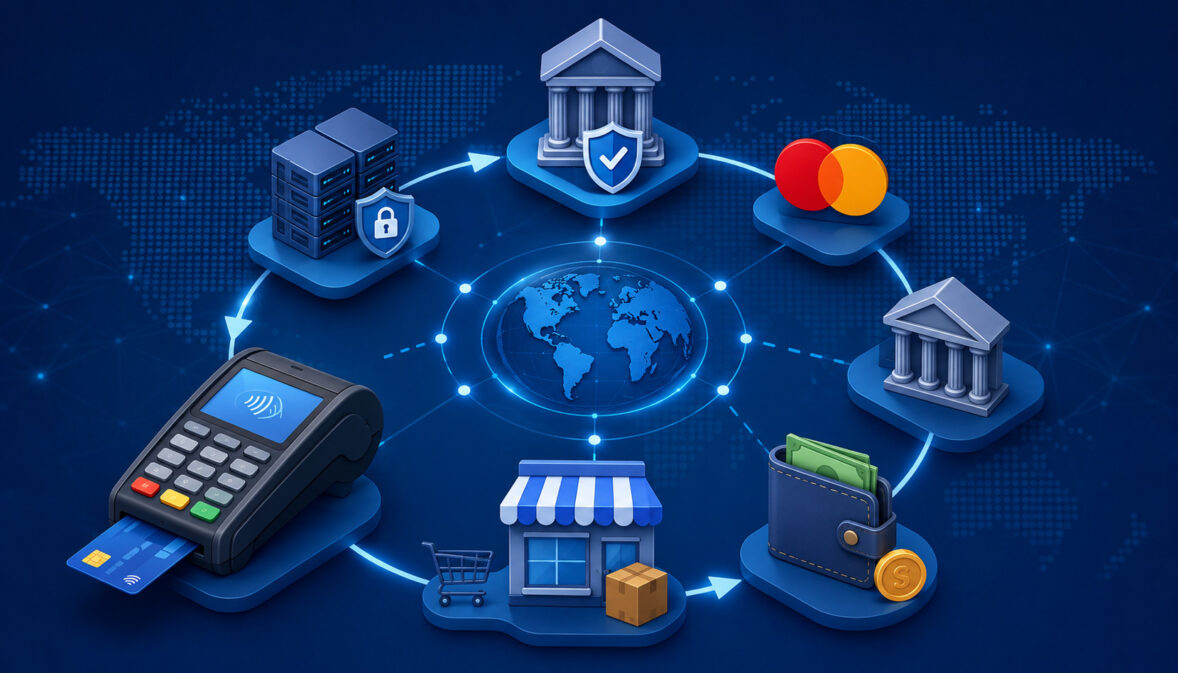
Payment cards feel instant at the checkout counter, but a lot happens between the moment a cardholder taps, dips, swipes, keys in, or submits card details and the moment a merchant receives funds.
To understand how payment networks process transactions, it helps to see card payments as a coordinated message system. Data moves through terminals, payment gateways, payment processors, acquiring banks, issuing banks, and payment networks before the sale becomes a funded deposit.
For merchants, this process is more than a technical detail. It affects approvals, declines, transaction fees, chargebacks, refunds, settlement timing, reconciliation, and cash flow. A restaurant may need to understand batch close timing.
An ecommerce seller may need to know why an approved order is not yet funded. A bookkeeper may need to match settlement reports to bank deposits. A developer may need to understand authorization requests, payment capture, tokenization, and transaction routing.
This guide explains how payment network transaction processing works from start to finish. It covers authorization, clearing and settlement, card-present transactions, card-not-present transactions, ecommerce payments, POS payments, mobile payments, recurring billing, fees, security, reporting, and common processing problems.
What Are Payment Networks?
Payment networks are the systems that help connect the parties involved in card payments. They support the rules, messaging standards, routing paths, data requirements, dispute processes, and settlement structures that allow cards to be accepted across many merchants, banks, payment processors, gateways, and devices.
A payment network does not usually act alone. It operates within a larger payment ecosystem that includes the cardholder, merchant, payment gateway, payment processor, merchant account provider, acquiring bank, issuing bank, and the merchant’s business bank account.
The network helps move transaction information between the acquiring side and the issuing side so that payment authorization, clearing, and settlement can take place.
For example, when a customer pays at a retail store, the POS terminal captures payment details and sends them through a processor. The payment network identifies where the request should go, forwards the authorization request to the issuing bank, and helps return the authorization response.
Later, the network helps organize clearing and settlement records so funds can move through the financial system.
Payment networks also maintain operating rules. These rules affect card acceptance, chargebacks, refunds, security expectations, transaction data quality, card settlement, interchange fees, assessment fees, and dispute timelines.
Merchants do not need to memorize every network rule, but they should understand that these rules influence everyday payment outcomes.
For more background on accepting card payments, merchants can review this guide to credit card processing.
Why Payment Network Transaction Processing Matters
Understanding payment network transaction processing helps merchants make better decisions about cash flow, customer service, accounting, and risk. A card approval does not mean money has already reached the business bank account.
Approval only means the issuing bank has authorized the transaction at that moment. Capture, clearing, settlement, and merchant funding still need to occur.
This distinction matters when merchants review deposits. A store may process many approved sales on one day but receive a net deposit later, after fees, refunds, chargebacks, reserves, or timing differences.
Ecommerce sellers may see an order as paid in the shopping cart, while the payment has only been authorized and still needs capture. Service providers may authorize a card before work begins and capture after the final amount is confirmed.
Payment network processing also affects declines. Some declines happen because of insufficient funds, incorrect card data, fraud prevention rules, expired cards, issuer restrictions, or network communication issues. Understanding where a decline can happen helps merchants respond without guessing.
Fees are another reason to understand the flow. Interchange fees, assessment fees, processor markup, gateway fees, transaction fees, batch fees, and chargeback fees may be connected to different parts of the process. The more clearly merchants understand transaction routing and settlement reports, the easier it is to review effective costs.
Key Parties in Payment Network Processing
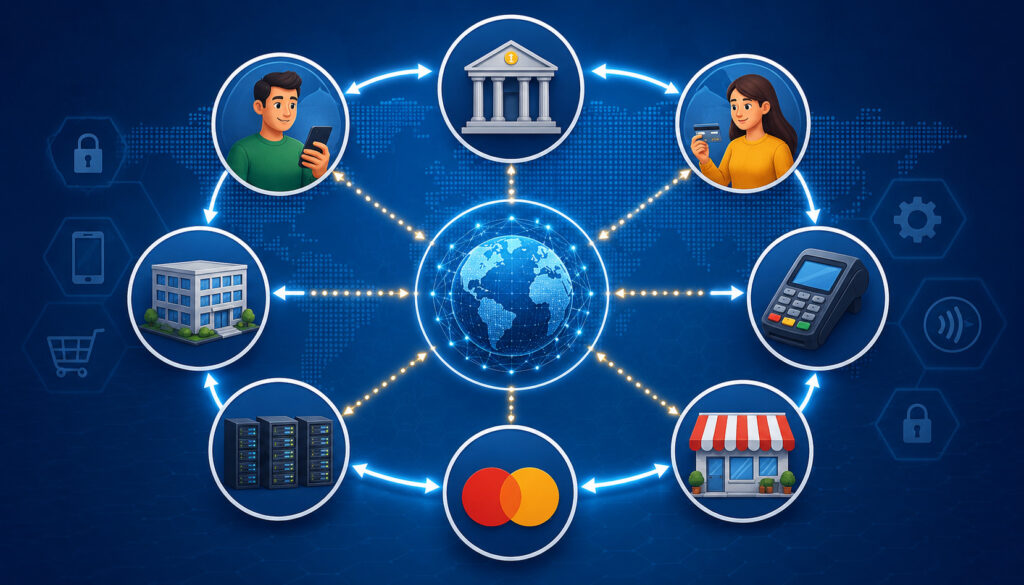
Several parties work together during payment network processing. Each has a different role, and confusing these roles can make statements, disputes, and settlement reports harder to understand.
The cardholder is the customer using a credit card, debit card, prepaid card, mobile wallet, or stored credential. The merchant is the business accepting the payment. The payment interface is the place where payment details are collected, such as a POS terminal, ecommerce checkout, invoice link, mobile reader, virtual terminal, or recurring billing system.
The payment gateway helps securely transmit transaction data, especially in ecommerce payments and card-not-present transactions.
The payment processor handles transaction routing between the merchant’s payment environment, the acquiring side, and payment networks. The merchant account is the account relationship that allows the merchant to accept card payments and receive settlement.
The acquiring bank, often called the acquirer, supports the merchant side of the transaction. The issuing bank, or issuer, supports the cardholder side. The payment network connects these sides through rules, routing, authorization messaging, clearing, settlement support, and fee structures.
Finally, the business bank account is where merchant funding is deposited. This account is separate from the merchant account in many setups. The merchant account supports card acceptance and settlement; the business bank account receives the net funds.
Cardholder, Merchant, and Payment Interface
The transaction begins when the cardholder chooses to pay. In a retail store, that may mean inserting a chip card, tapping a contactless card, using a mobile wallet, swiping a magnetic stripe card, or having card details keyed into a POS system.
In an online sale, it may mean entering card information at checkout, using a digital wallet, clicking an invoice payment link, or allowing a stored credential to be billed.
The merchant’s role is to collect payment details securely and submit the transaction through approved payment tools. That does not mean the merchant should directly handle sensitive card data whenever it can be avoided. Modern systems often use tokenization, encryption, hosted payment pages, secure card readers, and gateway tools to reduce exposure.
The payment interface also identifies important transaction details. These may include sale amount, tax, tip, invoice number, order number, merchant category, device data, billing address, shipping address, CVV result, AVS result, and whether the transaction is card-present or card-not-present.
Processor, Acquirer, Issuer, and Network
Once payment details are captured, the processor and acquiring side help send the authorization request toward the correct network and issuer. The payment processor formats and routes the message, while the acquiring bank supports the merchant’s ability to submit card transactions.
The payment network helps identify the correct issuing bank and sends the request onward. The issuing bank reviews the cardholder account, available credit or funds, card status, fraud risk, and issuer rules. It then sends back an authorization response.
This response travels back through the payment network, processor, gateway if used, and merchant system. Later, during clearing and settlement, these same parties help exchange finalized transaction records, calculate certain network-related fees, and prepare the transaction for funding.
How Payment Networks Process Transactions Step by Step
The easiest way to understand how payment networks process transactions is to follow the full lifecycle. A customer starts the payment. Payment details are captured securely. An authorization request is created.
The payment processor routes the request. The payment network forwards the request to the issuing bank. The issuing bank approves or declines. The response travels back to the merchant. The transaction is captured. Clearing begins. Settlement occurs. Merchant funding is deposited.
Each stage serves a purpose. Authorization answers the question: “Can this payment proceed?” Capture tells the system the merchant wants to finalize the authorized transaction. Clearing exchanges and validates final transaction records. Settlement moves funds between the issuing and acquiring sides. Merchant funding delivers the net deposit to the business.
A simple example helps. A customer buys a meal and taps a card at the terminal. The terminal sends a secure authorization request. The issuer approves. The receipt prints. Later, the restaurant closes the batch. The captured transactions move into clearing and settlement. The merchant receives a net deposit after applicable fees and adjustments.
Some transactions have extra steps. A hotel may authorize an estimated amount and capture the final amount later. An online seller may authorize at checkout and capture after shipment. A subscription business may use stored tokens and recurring billing schedules. The core payment processing flow is similar, but timing and risk controls can vary.
Payment Network Transaction Flow Table
| Transaction Stage | What Happens | Who Is Involved | Why It Matters to Merchants |
| Payment initiated | Customer presents or submits card details | Cardholder, merchant, POS, checkout, mobile device | Starts the sale and determines transaction type |
| Secure capture | Payment data is collected and protected | Terminal, gateway, processor, security tools | Reduces exposure of sensitive card data |
| Authorization request | Transaction details are sent for approval | Merchant system, processor, acquirer, network | Determines whether the sale can proceed |
| Network routing | Request is routed to the correct issuer | Payment network, processor, acquiring side | Helps deliver the request accurately |
| Issuer decision | Issuer approves or declines | Issuing bank, cardholder account | Affects customer experience and sale completion |
| Authorization response | Approval or decline returns to merchant | Issuer, network, processor, gateway, POS | Lets merchant complete or stop the transaction |
| Capture and batch | Approved transaction is submitted for completion | Merchant, processor, gateway | Moves sale toward clearing and settlement |
| Clearing | Final transaction records are exchanged | Network, issuer, acquirer, processor | Confirms transaction details and fees |
| Settlement | Funds move between financial institutions | Issuer, acquirer, network | Prepares merchant funding |
| Merchant funding | Net deposit reaches business bank account | Acquirer, processor, merchant bank | Supports cash flow and reconciliation |
Step 1: The Customer Initiates the Transaction
Card transaction processing begins when a cardholder chooses a payment method. In card-present transactions, the customer may insert a chip card, tap a contactless card, use a mobile wallet, swipe a card, or ask the merchant to key in details. Card-present transactions usually happen at a POS terminal, kiosk, mobile reader, or integrated retail system.
In card-not-present transactions, the card is not physically read by a terminal. Ecommerce payments, phone orders, invoice links, virtual terminal payments, mobile checkout, and recurring billing are common examples.
These transactions often require additional fraud prevention because the merchant cannot physically inspect the card or interact with the cardholder in person.
The transaction type matters because it can influence risk review, interchange categories, authentication tools, chargeback exposure, and data requirements. A chip card used at a secure terminal may carry different risk signals than a keyed transaction entered after a phone order.
An ecommerce payment with AVS, CVV, tokenization, and 3D Secure may have stronger verification signals than a basic card-not-present entry without added checks.
Merchants should train staff to choose the correct payment method. For example, dipping or tapping a card is usually better than keying it when the card is present. For ecommerce payments, using a secure payment gateway and fraud tools can help reduce risk.
Step 2: Payment Details Are Captured Securely
After the customer starts the transaction, payment details must be captured securely. In a retail setting, a POS terminal or card reader reads chip, tap, swipe, or keyed data. In ecommerce payments, a payment gateway or hosted checkout page collects payment information. In recurring billing, stored payment tokens may be used instead of raw card numbers.
Security is critical because payment data is sensitive. Encryption helps protect data while it moves through systems. Tokenization replaces sensitive card details with a token that can be used for future transactions without exposing the original card number. PCI-aware systems help merchants reduce unnecessary handling of cardholder data.
For example, an online store may use a hosted payment form so card data goes directly to the gateway rather than being stored on the merchant’s website. A restaurant may use an EMV terminal that encrypts card data at the point of interaction. A subscription business may store tokens for recurring billing instead of saving full card numbers.
Merchants should work with qualified payment professionals, developers, and compliance advisors when designing payment flows. The official payment security standards resource is useful for understanding the broader security expectations that apply to businesses handling card data.
Step 3: Authorization Request Is Sent
An authorization request is the message asking the issuing bank whether the transaction can proceed. It includes transaction details such as amount, merchant identification, card data or token data, merchant category, currency, transaction type, and device or channel information.
For card-not-present transactions, the request may include AVS, CVV, IP address, device data, shipping details, billing details, 3D Secure results, and fraud scoring information. For card-present transactions, the request may include chip or contactless data, terminal identifiers, and entry method details.
The payment authorization process is not just about whether the card exists. The issuer may evaluate available credit or funds, account status, card expiration, fraud patterns, spending limits, merchant category restrictions, geographic signals, and duplicate transaction concerns. The stronger and cleaner the transaction data, the easier it is for the system to evaluate the request.
A payment processor usually helps format and transmit the authorization request. In ecommerce, the payment gateway may pass the request to the processor. From there, the acquiring side and payment network help route it to the correct issuer.
Authorization can happen quickly, but merchants should remember that it is still only one stage. An approved authorization must still be captured and settled before merchant funding occurs.
Step 4: The Payment Network Routes the Transaction
The payment network’s routing role is central to payment network processing. The network helps identify the issuing bank connected to the card and forwards the authorization request through the appropriate route. It also supports message standards so the acquiring side and issuing side can exchange transaction data in a consistent format.
Transaction routing is especially important because many card payments involve different financial institutions and technology providers. The merchant may use one processor, the cardholder may use a different issuing bank, and the payment network connects the message path between them.
The payment network may also apply operating rules and data requirements. These rules can influence how transactions are categorized, how authorization responses are handled, how clearing records are prepared, how chargebacks are processed, and how assessment fees may apply.
When the issuer responds, the network helps send the authorization response back through the same ecosystem. The response may approve the transaction, decline it, request additional action, or return a specific response code. The merchant’s POS, gateway, or checkout system then displays the result.
For merchants, network routing is usually invisible. However, it affects approval speed, data quality, settlement records, and the fees that appear later on merchant statements.
Step 5: Issuing Bank Reviews the Transaction
The issuing bank is responsible for deciding whether the transaction should be approved or declined. It checks the cardholder’s account and applies issuer rules. For a credit card transaction, the issuer may review available credit.
For a debit card transaction, it may review available funds. It may also check card status, expiration, spending limits, blocked cards, account restrictions, fraud alerts, and recent activity.
Fraud prevention is a major part of issuer review. A transaction may look suspicious if it is unusually large, occurs far from normal behavior, comes from a high-risk channel, fails AVS or CVV checks, or looks similar to known fraud patterns. In some cases, the issuer may decline the transaction even when funds are available.
Issuer decisions can also be affected by merchant category restrictions. Some cards have controls that limit use by category, business type, or transaction type. Corporate cards, prepaid cards, benefit cards, and debit cards may have special restrictions.
Merchants usually cannot override issuer declines. The best response is to ask the customer for another payment method or suggest contacting the issuing bank. Repeated attempts after a hard decline can create duplicate authorization issues or trigger additional fraud controls.
Step 6: Approval or Decline Response Returns to the Merchant
After the issuing bank makes its decision, the authorization response travels back through the payment network, acquiring the side, payment processor, payment gateway if used, and merchant system. The response tells the POS terminal, ecommerce checkout, virtual terminal, or billing platform whether the transaction is approved or declined.
An approval usually allows the merchant to complete the sale. In a store, the receipt may print or the POS may mark the payment as complete. In ecommerce, the order may move to a paid or authorized status. In a service business, the authorization may be held until the final invoice amount is captured.
A decline means the transaction cannot proceed with that card at that moment. Declines can be soft or hard. A soft decline may be temporary, such as an issuer communication issue or a need for additional authentication. A hard decline usually means the card should not be retried without a different condition, such as updated card details or issuer approval.
Some transactions may be flagged for review. Ecommerce sellers may hold an order if fraud tools show unusual risk, even if the authorization was approved. This is why payment status and order fulfillment status should be managed separately.
Step 7: Capture and Batch Processing
Payment capture is the step where the merchant submits an approved authorization for completion. Without capture, an authorization may eventually expire and never settle.
In many retail environments, capture happens automatically when the merchant closes the batch. In ecommerce, capture may happen immediately at checkout or later after order review, shipment, or service confirmation.
Batch processing groups approved transactions for submission. A batch close may happen automatically at a scheduled time or manually when the merchant closes the day. Batch reports show which transactions were submitted for settlement and can be useful for reconciliation.
Delayed capture is common when the final transaction amount is not known at authorization. Restaurants may adjust tips. Hotels may authorize an estimated amount and capture the final amount. Ecommerce merchants may authorize at checkout and capture when goods ship. Partial capture may occur when only part of an order is fulfilled.
Merchants should understand their capture settings. Failed captures, open batches, expired authorizations, and manual batch errors can delay settlement or create accounting confusion.
Step 8: Clearing Through the Payment Network
Clearing happens after capture. It is the process of exchanging, validating, and finalizing transaction records so settlement can occur. During clearing, transaction details are organized and matched against authorization records. Amounts, merchant data, transaction dates, card data, network information, and fee-related details are prepared for settlement.
Payment networks help coordinate clearing because they maintain rules and message standards. Clearing is where the transaction becomes more than an approval. It becomes a finalized record that the issuing and acquiring sides can use to calculate obligations, fees, and settlement positions.
For merchants, clearing is usually visible through batch reports, settlement reports, and merchant statements. A transaction that was approved at the POS may appear in clearing after capture. If details do not match correctly, the transaction may be delayed, downgraded, adjusted, or investigated depending on the issue.
Clearing also helps support chargeback rights, refund processing, and transaction records. Accurate transaction data matters because it can affect dispute evidence, interchange qualification, settlement timing, and reconciliation.
The merchant does not usually manage clearing directly, but the merchant’s actions affect it. Correct transaction entry, timely capture, complete invoice records, proper tip adjustment, and accurate refund handling all help reduce problems.
Step 9: Settlement and Merchant Funding
Settlement is the movement of funds between the issuing and acquiring sides after clearing. The issuer pays the acquiring side according to network rules and settlement processes. The acquiring side or processor then funds the merchant, usually as a net deposit to the merchant’s business bank account.
Merchant funding is not always equal to gross sales. Fees may be deducted before deposit or billed separately. Refunds, chargebacks, reserves, adjustments, and batch timing can also affect the net amount. This is why settlement reports are so important for reconciliation.
For example, a merchant may process card sales totaling a certain amount but receive a smaller deposit because transaction fees, refunds, or chargebacks were deducted. Another merchant may receive gross deposits and see fees billed later. Both models can be valid, but the accounting process will differ.
Settlement timing can vary by processor, acquiring setup, batch close time, business type, risk review, bank holidays, transaction type, and funding policy. Some transactions settle quickly, while others take longer due to reviews, returns, or processing schedules.
Merchants should compare gateway reports, batch reports, merchant statements, and bank deposits to understand exactly how card settlement turns into merchant funding.
Authorization vs Clearing vs Settlement
Authorization, clearing, and settlement are related, but they are not the same. Authorization confirms whether a transaction can proceed. Clearing finalizes and exchanges transaction details. Settlement moves funds through the financial system.
A helpful way to think about it is this: authorization is permission, clearing is record finalization, and settlement is money movement. Merchant funding is the final deposit stage that follows settlement processes.
This difference explains many common questions. Why did an approved transaction not deposit immediately? Because approval is only authorization. Why does the bank deposit not match the POS sales total?
Because settlement may include fees, refunds, chargebacks, reserves, batch timing differences, or multiple batches. Why did an online order show as authorized but not captured? Because the merchant or system had not submitted it for completion.
Payment networks process transactions across these stages by supporting routing, rules, messaging, clearing data, fee structures, and settlement coordination. Merchants do not need to operate the network, but they should understand the stages well enough to manage reports and customer questions.
| Term | Simple Meaning | When It Happens | Merchant Impact |
| Authorization | Issuer decides whether payment can proceed | At checkout or payment attempt | Sale is approved, declined, or reviewed |
| Capture | Merchant submits approved transaction for completion | After approval, immediately or later | Moves transaction toward settlement |
| Clearing | Final transaction data is exchanged and validated | After capture | Supports fees, records, and settlement |
| Settlement | Funds move between issuing and acquiring sides | After clearing | Leads to merchant funding |
| Funding | Net deposit reaches business bank account | After settlement processing | Affects cash flow and reconciliation |
How Payment Networks Handle Card-Present Transactions

Card-present transactions happen when the card or mobile wallet is used in person. Common methods include EMV chip, contactless tap, mobile wallet, magnetic stripe swipe, and keyed entry. The payment interface is usually a POS terminal, mobile reader, kiosk, or integrated retail system.
A chip or contactless transaction provides stronger transaction data than a manually keyed sale. The terminal captures card and device information, encrypts sensitive details, and sends the authorization request through the processor and network. The issuer reviews the request and returns a response.
Restaurants, salons, delivery businesses, and service providers may have added steps. Tips may be adjusted after authorization. Receipts may be signed or sent digitally. Batches may close at the end of the business day. If batch close is delayed, settlement and merchant funding may also be delayed.
Card-present reconciliation often starts with POS reports. Merchants compare register totals, tip adjustments, voids, refunds, batch totals, settlement reports, and deposits. If a deposit does not match, the cause may be batch timing, fees, refunds, chargebacks, or a transaction that was authorized but not captured.
How Payment Networks Handle Card-Not-Present Transactions
Card-not-present transactions happen when the card is not physically read by a terminal. Examples include ecommerce payments, invoice payments, phone orders, virtual terminal entries, mobile checkout, and recurring billing. These transactions usually rely more heavily on payment gateways, fraud prevention tools, and customer verification signals.
The payment gateway collects or transmits payment details, creates the authorization request, and sends it to the processor.
The request may include AVS, CVV, IP address, billing address, shipping address, device signals, order history, and 3D Secure authentication results. The payment network routes the request to the issuer, and the issuer returns the authorization response.
Card-not-present transactions can carry higher fraud and chargeback risk because the merchant cannot physically verify the card. That does not mean merchants should avoid ecommerce or invoice payments. It means they should use the right tools and policies.
Good practices include using secure checkout pages, tokenization, encryption, AVS, CVV, fraud filters, order review rules, delivery confirmation, clear billing descriptors, and easy-to-understand refund policies. For more on gateway-related payment flows, merchants can review this payment gateway overview.
Ecommerce Payment Network Processing
Ecommerce payment network processing begins at checkout. The customer enters card details, selects a digital wallet, or uses a stored payment method. The payment gateway collects the data and sends it through the payment processor for authorization. The payment network routes the authorization request to the issuer, and the issuer approves or declines.
After approval, the ecommerce platform may mark the order as authorized, paid, pending review, or ready to fulfill depending on settings. It is important to separate order status from payment status. An order may be placed but unpaid, authorized but not captured, captured but not settled, or settled but not yet deposited.
Some ecommerce businesses capture immediately. Others use delayed capture to reduce refund risk when inventory, shipping, or fraud review is still pending. For example, an online store may authorize a customer’s card when the order is placed and capture the payment only when the item ships.
Fraud screening may occur before, during, or after authorization. A transaction can be approved by the issuer but still flagged by merchant fraud tools. Merchants should document review procedures so legitimate orders are not delayed unnecessarily and suspicious orders are not shipped too quickly.
Recurring Billing and Payment Networks
Recurring billing uses stored payment credentials to charge customers on a schedule. Subscription services, memberships, software billing, tuition plans, retainers, and installment programs often use this model. Instead of storing raw card data, many systems use tokens that represent the card securely.
When the billing date arrives, the recurring billing system creates an authorization request using the stored token and transaction details. The request moves through the processor, payment network, and issuing bank. The issuer approves or declines based on the account status, available funds or credit, card validity, fraud rules, and other controls.
Recurring billing introduces special operational issues. Cards expire. Accounts are replaced. Customers cancel. Issuers decline transactions for insufficient funds or suspected fraud. Retry logic may attempt the payment again after a soft decline. Some systems use account update services where available to refresh changed card information.
Merchants should give customers clear billing terms, renewal reminders where appropriate, easy cancellation paths, and payment failure notifications. They should also monitor failed payments, retry attempts, refunds, and chargebacks. Recurring billing works best when customer communication and reconciliation are organized.
Payment Network Rules and Standards
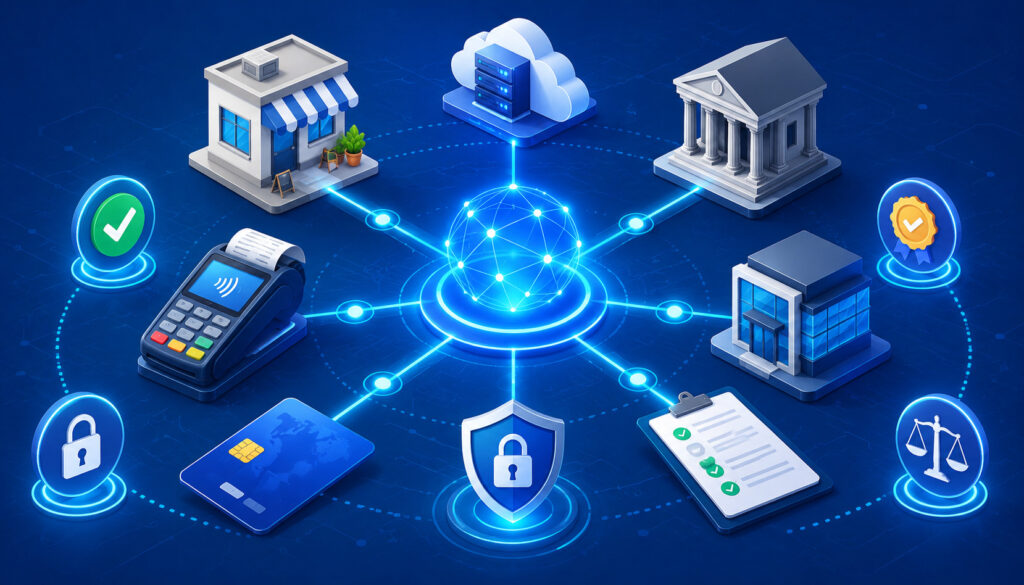
Payment networks maintain rules and standards that support card acceptance. These rules may cover authorization practices, transaction data, merchant categories, chargebacks, refunds, settlement procedures, card-present requirements, card-not-present requirements, recurring billing, and security expectations.
These rules help make card payments consistent across many merchants and banks. Without common rules, every issuer and acquirer would need separate arrangements for transaction routing, authorization response handling, clearing records, settlement timing, dispute rights, and fee calculation.
For merchants, network rules often show up in practical ways. A chargeback notice may reference a reason code. A refund may need to be processed back to the original card. A recurring billing transaction may require clear authorization from the customer. An ecommerce transaction may qualify differently depending on data submitted.
Merchants should not treat this as legal or compliance advice. Rules can vary by payment method, business type, processor, contract, and transaction category. When questions affect risk, compliance, taxes, accounting, or customer terms, merchants should consult qualified professionals and their payment providers.
How Fees Fit Into Payment Network Processing
Fees are part of payment network processing, but they do not all come from the same place. Interchange fees are usually connected to the issuing side and can vary based on card type, transaction method, merchant category, and data quality.
Assessment fees are connected to the payment network. Processor markup is the amount charged by the processing provider for its services.
Other fees may include gateway fees, transaction fees, authorization fees, monthly fees, batch fees, PCI-related fees, chargeback fees, retrieval fees, statement fees, and funding-related charges. Some fees are deducted before deposit, while others are billed separately on a monthly statement.
This is why two merchants with the same sales volume can have different effective costs. A card-present retailer, ecommerce seller, restaurant with tips, and subscription business may all have different transaction mixes. Rewards cards, commercial cards, keyed transactions, international cards, and card-not-present transactions can also affect cost.
Merchants can learn more about merchant account structures through this merchant account resource. They should also review monthly statements, compare gross sales to net deposits, and calculate an effective rate by dividing total processing cost by total processed volume.
| Fee Category | What It Means | Who May Be Connected to It | What Merchants Should Review |
| Interchange fees | Costs associated with card issuing and transaction type | Issuing side, network rules | Card mix, entry method, data quality |
| Assessment fees | Network-related charges | Payment networks | Network line items on statements |
| Processor markup | Provider’s service charge | Processor or merchant services provider | Pricing model and contract terms |
| Gateway fees | Cost for online transaction tools | Gateway provider | Monthly and per-transaction charges |
| Transaction fees | Per-item charges | Processor, gateway, provider | Approved and sometimes attempted transactions |
| Chargeback fees | Fees tied to disputes | Acquirer, processor, network process | Dispute volume and prevention practices |
| Batch fees | Charges related to batch submission | Processor or provider | Batch close frequency and reporting |
| PCI-related fees | Charges related to security program administration | Provider or compliance program | Scope, responsibilities, and documentation |
Payment Network Security and Fraud Controls
Payment networks support safer transactions through rules, monitoring, secure data expectations, dispute processes, and transaction requirements. Merchants also play a role by using secure payment tools, training staff, limiting access to sensitive data, and following appropriate security practices.
Common security tools include EMV chip acceptance, contactless transaction data, tokenization, encryption, AVS, CVV, 3D Secure, fraud scoring, velocity checks, device fingerprinting, and secure gateways. These tools do not guarantee that fraud will never occur, but they can reduce exposure and improve decision-making.
PCI compliance expectations apply to businesses that store, process, or transmit cardholder data. The exact responsibilities depend on the payment environment, systems used, transaction volume, and provider setup. Merchants should use official resources and qualified professionals when assessing their responsibilities.
Fraud prevention should also balance customer experience. Too little screening can increase chargebacks. Too much screening can block legitimate customers. The best approach is usually layered: secure capture, strong transaction data, reasonable fraud filters, clear policies, and careful review of unusual orders.
Tokenization and Encryption
Tokenization and encryption protect payment data in different ways. Encryption makes data unreadable while it moves through systems. Tokenization replaces sensitive card details with a token that can be used for future transactions without exposing the original card number to the merchant’s system.
For example, an ecommerce business may store a token for a returning customer. When the customer checks out again, the token is used to create the authorization request. The merchant does not need to store the full card number.
A subscription business may also use tokens for recurring billing. This helps support scheduled payments while reducing the risk that sensitive card details are exposed in merchant systems. Merchants should still manage access, user permissions, reporting, and cancellation procedures carefully.
Fraud Signals and Risk Checks
Fraud checks may evaluate transaction behavior, device signals, location patterns, billing and shipping address matches, CVV results, AVS results, purchase size, order velocity, customer history, and issuer rules. A single failed signal does not always mean fraud, but multiple warning signs can increase risk.
For example, a high-value ecommerce order with a mismatched billing address, rushed shipping, a new customer profile, and multiple failed attempts may deserve review. A low-value repeat customer order with matching details may be lower risk.
Issuers also run their own checks. A merchant may approve an order internally, but the issuer may decline it. Or the issuer may approve it, while the merchant’s fraud tools hold it for review. Both sides can influence the final outcome.
Refunds, Voids, Reversals, and Chargebacks in Network Processing
Refunds, voids, reversals, and chargebacks are different actions, and each affects network processing differently. A void usually cancels a transaction before it settles. This often applies when the transaction is still in the open batch.
A refund returns money after the transaction has settled. A reversal may release or correct an authorization. A chargeback is a dispute process initiated through the issuing side.
Timing matters. If a cashier makes an error immediately, a void may prevent the transaction from settling. If the customer returns an item after settlement, a refund is usually needed. If a hotel places an authorization hold and finalizes a lower amount, unused authorization may be released through reversal or expiration processes.
Chargebacks are more formal. The cardholder contacts the issuer, the issuer starts the dispute, and the merchant may have an opportunity to respond with documentation. Payment networks provide rules, reason codes, and timelines for the process.
Merchants should track all four categories carefully. Refund delays can create customer frustration. Voids can affect batch reports. Reversals can affect available balances. Chargebacks can affect deposits, fees, ratios, and risk reviews. More detail is available in this chargeback guide.
Why Transactions Get Declined by the Network or Issuer
Declines can happen for many reasons. The most common include insufficient funds, unavailable credit, expired card, incorrect card number, wrong expiration date, CVV mismatch, AVS mismatch, blocked card, suspected fraud, spending limit, issuer restriction, duplicate transaction, or merchant category restriction.
Some declines are temporary. A cardholder may have reached a daily limit, entered the wrong billing ZIP code, or triggered a fraud alert that can be cleared by contacting the issuer. Other declines are firm, such as a closed account or blocked card.
Network communication issues can also cause problems. A timeout, gateway error, processor disruption, or issuer connection problem may prevent a clear response. Merchants should be careful with retries because repeated attempts can create duplicate holds or additional declines.
When a transaction is declined, staff should avoid guessing. A professional response is to ask for another payment method or suggest that the customer contact the issuing bank. For ecommerce, the checkout message should be clear enough to guide the customer without exposing sensitive risk logic.
Common Payment Network Processing Problems
Payment network processing problems can appear at authorization, capture, clearing, settlement, funding, or reconciliation. A gateway timeout may interrupt an online checkout. A processor error may prevent transaction routing. An issuer decline may stop the sale. A duplicate attempt may create confusion for the customer. A batch issue may delay settlement.
Delayed settlement can occur when batches are not closed, captures fail, transaction data is incomplete, or risk review is triggered. Funding holds may occur if unusual activity, high chargeback volume, sudden sales spikes, or documentation issues arise. Refund delays can create customer service issues if customers expect immediate credit.
Mismatched deposits are common accounting concerns. A bank deposit may not match the POS total because fees were deducted, refunds were processed, chargebacks occurred, batches crossed deposit dates, or multiple locations were funded together.
Authorization Problems
Authorization problems include issuer declines, incorrect card details, fraud filter blocks, AVS mismatch, CVV mismatch, duplicate attempts, expired cards, issuer restrictions, and network communication problems. In card-present environments, terminal connectivity or device configuration can also cause issues.
Merchants should document how staff should respond. For example, do not keep retrying a declined card without a reason. Do not key in card details when a chip card fails unless policy allows it. Do not ship high-risk ecommerce orders just because authorization approved.
Good authorization troubleshooting starts with reports. Review response codes, gateway logs, fraud filter results, customer-entered details, and processor messages.
Settlement and Reconciliation Problems
Settlement and reconciliation problems often appear after the sale. A transaction may be approved but not captured. A batch may remain open. A refund may be deducted from a later deposit. A chargeback may reduce funding unexpectedly. Fees may be deducted daily while the bookkeeper expects monthly billing.
Merchants should compare batch reports, settlement reports, merchant statements, bank records, and accounting entries. If deposits do not match, look for timing differences before assuming an error.
A clear closing routine can prevent many issues. Confirm batch close, save reports, record refunds, review chargeback notices, and match deposits by settlement date rather than sale date when appropriate.
How Merchants Can Track Payment Network Processing
Merchants can track payment network processing by using POS reports, gateway reports, batch reports, settlement reports, merchant statements, bank deposits, chargeback notices, and accounting software. Each report answers a different question.
POS reports show sales activity at the checkout level. Gateway reports show online authorization, capture, refund, and transaction status.
Batch reports show which captured transactions were submitted. Settlement reports show what was prepared for funding. Merchant statements show fees, volume, adjustments, and chargebacks. Bank deposits show what actually reached the business account.
No single report tells the whole story. A gateway report may show approved transactions that are not yet funded. A bank deposit may show net funds without enough detail to identify each sale. A merchant statement may show monthly fees but not daily operational context.
The best approach is to create a repeatable tracking process. Assign responsibility, save reports, review exceptions, and reconcile regularly. Developers and finance teams should also agree on order status definitions so “paid,” “authorized,” “captured,” “settled,” and “funded” are not used interchangeably.
Reconciliation: Matching Transactions to Deposits
Reconciliation is the process of matching sales records to settlement activity and bank deposits. For card payments, this means comparing gross sales, batch totals, fees, refunds, chargebacks, reserves, adjustments, and net deposits.
Start with the sales source. For a retail store, that may be the POS report. For ecommerce payments, it may be the gateway or shopping cart report. Then compare captured transactions to batch reports. Next, compare settlement reports to bank deposits. Finally, compare merchant statements to accounting records.
Timing differences are normal. A sale may occur on one day, batch on another, settle later, and fund after that. Refunds and chargebacks may appear on different dates from the original sale. Fees may be deducted daily or billed monthly.
A basic reconciliation routine should answer four questions:
- What did customers pay?
- What was captured and submitted?
- What was settled and funded?
- What fees, refunds, chargebacks, or adjustments explain the difference?
Common Mistakes Merchants Make With Payment Network Processing
One common mistake is assuming that approval means deposit. Authorization is important, but it is not the final stage. A transaction still needs capture, clearing, settlement, and funding.
Another mistake is ignoring settlement reports. Merchants may look only at POS sales and bank deposits, then wonder why totals do not match. Settlement reports often explain the gap by showing batch timing, fees, refunds, chargebacks, and adjustments.
Failing to close batches can delay funding. Not reviewing fees can make it hard to understand true processing cost. Overlooking refunds and chargebacks can distort revenue. Confusing gateway reports with bank deposits can create accounting errors. Not saving monthly statements can make tax, accounting, and dispute review more difficult.
Merchants also make operational mistakes. Staff may key transactions unnecessarily, retry declines too many times, forget to capture authorizations, issue refunds outside the original payment method, or ship suspicious orders without review.
A simple payment operations checklist can prevent many of these issues. Train staff, document workflows, review reports, and make reconciliation part of the normal accounting routine.
Questions Merchants Should Ask About Payment Network Processing
Merchants do not need to become network engineers, but they should ask practical questions about their payment setup. The answers can improve reporting, cash flow planning, customer service, and cost review.
Helpful questions include:
- How are transactions routed?
- Which payment networks are supported?
- How long does authorization usually take?
- When are transactions captured?
- Are batches automatic or manual?
- What time does batch close occur?
- How long does settlement usually take?
- When does merchant funding reach the business bank account?
- Are fees deducted daily or billed monthly?
- Where are settlement reports found?
- How are refunds handled?
- How are chargebacks reported?
- What can delay funding?
- How are card-not-present transactions protected?
- Which fraud prevention tools are active?
- How are AVS, CVV, tokenization, and 3D Secure used?
- How are voids different from refunds in the system?
- Who should be contacted for gateway, processor, or funding issues?
These questions are useful during onboarding, processor review, software integration, accounting setup, and annual payment cost reviews.
Payment Network Processing Checklist for Merchants
Use this checklist to keep payment operations organized:
- Transaction flow understood
- Authorization process reviewed
- Capture timing confirmed
- Batch process documented
- Settlement timeline understood
- Funding schedule reviewed
- Fee deduction method checked
- Refund process reviewed
- Void and reversal process reviewed
- Chargeback process reviewed
- Gateway reports reviewed
- POS reports reviewed
- Batch reports saved
- Settlement reports saved
- Merchant statements saved
- Bank deposits reconciled
- Security responsibilities reviewed
- PCI compliance scope discussed with qualified resources
- Staff trained on payment workflows
- Ecommerce fraud tools configured
- Recurring billing retry logic reviewed
- Accounting software mapping checked
This checklist is especially helpful when a business adds a new POS system, payment gateway, ecommerce platform, location, subscription model, or accounting process. It can also help when deposits do not match expectations.
Best Practices for Managing Payment Network Transactions
Good payment operations are built on consistency. Use secure payment tools, keep software updated, restrict access to sensitive systems, and avoid storing card data unnecessarily. Use tokenization and encryption where appropriate. Review PCI responsibilities with qualified resources.
Close batches on time and confirm capture settings. Save POS, gateway, batch, settlement, and merchant statement reports. Reconcile deposits regularly instead of waiting until month-end. Track refunds and chargebacks separately so they do not get lost in net deposit totals.
Monitor chargebacks and decline patterns. A rise in disputes may point to unclear billing descriptors, delayed shipping, poor customer communication, fraud, product issues, or refund policy confusion. A rise in declines may indicate expired stored cards, AVS mismatches, issuer restrictions, or checkout friction.
Calculate an effective processing rate periodically. Divide total processing costs by total card volume for the period. This will not explain every fee line, but it gives a useful overall view.
Finally, train staff. Many payment problems begin with small workflow mistakes: wrong transaction type, missed batch close, unnecessary keyed entry, poor refund handling, or incomplete customer records.
FAQ
How do payment networks process transactions?
Payment networks process transactions by helping route payment data between the merchant’s acquiring side and the cardholder’s issuing bank. During authorization, the network forwards the authorization request to the issuer and helps return the authorization response.
After capture, the network supports clearing and settlement processes so transaction records can be finalized and funds can move between financial institutions.
What is payment network transaction processing?
Payment network transaction processing is the movement and handling of card transaction data through the payment ecosystem. It includes transaction routing, authorization requests, authorization responses, payment capture, clearing and settlement, card settlement records, fee structures, chargeback processes, and merchant funding support.
What is payment network processing?
Payment network processing refers to the network’s role in card payments. This includes routing messages, applying network rules, supporting card transaction processing standards, helping organize clearing files, supporting settlement between the issuing and acquiring sides, and providing the framework for disputes and fees.
What role do payment networks play in card payments?
Payment networks connect cardholders, merchants, acquiring banks, issuing banks, payment processors, and gateways through a shared transaction system. They help ensure that card payments can be authorized, cleared, settled, refunded, disputed, and reported under consistent rules.
Are payment networks the same as payment processors?
No. A payment processor helps merchants transmit and manage transactions, often connecting POS systems, gateways, acquiring banks, and networks. A payment network provides the card network rails, routing structure, operating rules, and settlement framework. They work together but perform different roles.
What happens during authorization?
During authorization, the merchant’s system sends an authorization request with transaction details. The request travels through the processor and payment network to the issuing bank. The issuer reviews the cardholder account, available funds or credit, card status, fraud risk, and issuer rules. It then sends back an approval or decline.
What happens during clearing?
During clearing, captured transaction records are exchanged, validated, and finalized. Clearing helps confirm transaction details, prepare settlement information, support fee calculation, and create records used for reporting, disputes, and reconciliation.
What happens during settlement?
During settlement, funds move between the issuing and acquiring sides based on cleared transaction records. After settlement, the merchant receives funding according to the processor or acquiring arrangement. The deposit may be net of fees, refunds, chargebacks, reserves, or other adjustments.
Why does an approved transaction not deposit immediately?
An approved transaction has only passed authorization. It still must be captured, included in a batch, cleared, settled, and funded. Batch timing, capture settings, processor schedules, risk review, refunds, chargebacks, and funding policies can all affect when money reaches the business bank account.
How do payment networks handle chargebacks?
Payment networks provide rules, reason codes, timelines, and message processes for chargebacks. A cardholder usually starts a dispute through the issuing bank. The issuer sends the dispute through the network process to the acquiring side, and the merchant may respond with evidence when allowed.
How do payment networks support security?
Payment networks support security through operating rules, data requirements, fraud monitoring structures, dispute processes, and support for tools such as EMV, tokenization, encryption, AVS, CVV, and 3D Secure. Merchants also have responsibilities for using secure systems and following applicable payment data security expectations.
Why do card transactions get declined?
Card transactions can be declined because of insufficient funds, unavailable credit, expired cards, incorrect card data, CVV mismatch, AVS mismatch, fraud suspicion, blocked cards, issuer restrictions, spending limits, duplicate attempts, network communication problems, or merchant category restrictions.
What reports help merchants track network processing?
Useful reports include POS reports, gateway reports, batch reports, settlement reports, merchant statements, bank deposit records, refund reports, chargeback notices, and accounting software reports. Comparing these sources helps merchants track transactions from sale to deposit.
Final Thoughts
Understanding how payment networks process transactions helps merchants see card payments as a full lifecycle rather than a single checkout event. A customer payment begins with secure data capture, moves through authorization, continues through payment capture and batching, enters clearing and settlement, and ends with merchant funding.
Payment networks help route transaction data, support authorization decisions, organize clearing records, apply network rules, enable settlement between banks, and support dispute processes. Payment processors, gateways, acquiring banks, issuing banks, merchants, and cardholders all play connected roles.
For business owners, finance teams, ecommerce sellers, restaurants, retail stores, service providers, developers, and bookkeepers, the practical value is clear. When you understand the payment processing flow, you can better explain approvals and declines, review transaction fees, monitor chargebacks, manage refunds, track settlement reports, and reconcile deposits.
The best next step is operational discipline. Review reports regularly, document batch and capture settings, understand fee deductions, monitor disputes, protect payment data, and keep payment records organized.
A clear view of payment network transaction processing can reduce confusion, improve cash flow visibility, and make everyday payment operations easier to manage.
Leave a Reply